

Master video conferencing etiquette: 25% boost in engagement
Ineffective video conferencing etiquette drains productivity and undermines collaboration across professional service firms. Meetings without agendas waste 30% more time, creating costly inefficiencies for IT managers overseeing remote teams. This article delivers expert-backed criteria and actionable strategies to establish strong video conferencing standards that combine technical readiness with behavioral excellence, ensuring your firm maximizes meeting effectiveness.
Key takeaways
| Point | Details |
|---|---|
| Agenda discipline | Circulating detailed agendas 24 hours before meetings prevents 30% time waste and sets clear objectives. |
| Technical preparation | Pre-meeting hardware and internet checks eliminate disruptions and signal professional competence. |
| Network performance | Maintaining 10-25 Mbps download speeds and latency below 100 ms ensures seamless interaction quality. |
| Hybrid equity | Individual call participation reduces fishbowl effects, increasing remote engagement by 25%. |
| Platform consolidation | Unified communication tools streamline workflows and reduce operational redundancies significantly. |
Key criteria for effective video conferencing etiquette
Establishing strong video conferencing etiquette requires IT managers to evaluate both technical infrastructure and behavioral standards across their organizations. Technical incompetence is now often viewed as professional negligence, making preparation essential rather than optional. Your teams need clear guidelines that address common failure points before they damage client relationships or internal collaboration.
Successful video conferencing etiquette rests on four foundational criteria:
- Agenda discipline: Distribute detailed meeting agendas 24 hours in advance, specifying topics, timeframes, and expected outcomes to eliminate ambiguity and maintain focus
- Technical readiness: Conduct microphone, camera, and internet connectivity checks five minutes before each call to prevent embarrassing delays
- Behavioral standards: Enforce punctuality, active attentiveness, appropriate muting protocols, and professional on-camera presence across all participants
- Hybrid inclusivity: Design meeting protocols that ensure remote participants receive equal visibility and speaking opportunities alongside in-room attendees
These criteria work together to create professional virtual environments where collaboration thrives. Meetings without agendas waste 30% more time, demonstrating how small oversights compound into significant productivity losses. IT managers must treat video conferencing competence as a measurable performance standard, not a soft skill.
Implementing these standards requires systematic training and accountability mechanisms. Your firm benefits from documented etiquette policies integrated into onboarding programs and periodic refresher sessions. For comprehensive guidance on structuring productive virtual interactions, explore our resources on effective meeting management and Microsoft Teams meeting tips.
Top video conferencing etiquette practices to ensure smooth meetings
Practical implementation transforms theoretical etiquette standards into measurable meeting improvements for your organization. These evidence-backed practices address the most common disruption sources while enhancing participant engagement and satisfaction.
- Complete technical verification early: Check your mic, camera, and internet five minutes before the call to identify and resolve issues without delaying start times or forcing colleagues to wait
- Apply strategic muting: Keep your microphone muted when not actively speaking to eliminate background noise, keyboard clicks, and environmental distractions that fragment attention
- Maintain camera-focused eye contact: Position your gaze toward the camera lens rather than your screen when speaking to create genuine connection and demonstrate engagement
- Leverage platform interaction tools: Use chat functions for questions, reaction emojis for quick feedback, and hand-raise features to signal speaking requests without verbal interruptions
- Practice ruthless brevity: Deliver concise, on-topic contributions that respect scheduled timeframes and allow diverse perspectives to emerge naturally
- Balance hybrid participation: When mixing in-room and remote attendees, actively solicit input from virtual participants first to prevent location-based dominance patterns
Pro Tip: Schedule recurring 15-minute etiquette audits where team members review recent meeting recordings to identify improvement opportunities without judgment or blame.
Following video conference tips is a core competency, communicating reliability before you even speak. This reality shift means your technical presentation now carries as much weight as your verbal contributions. IT managers who standardize these practices across teams see faster meeting resolutions, reduced follow-up requirements, and stronger client confidence.
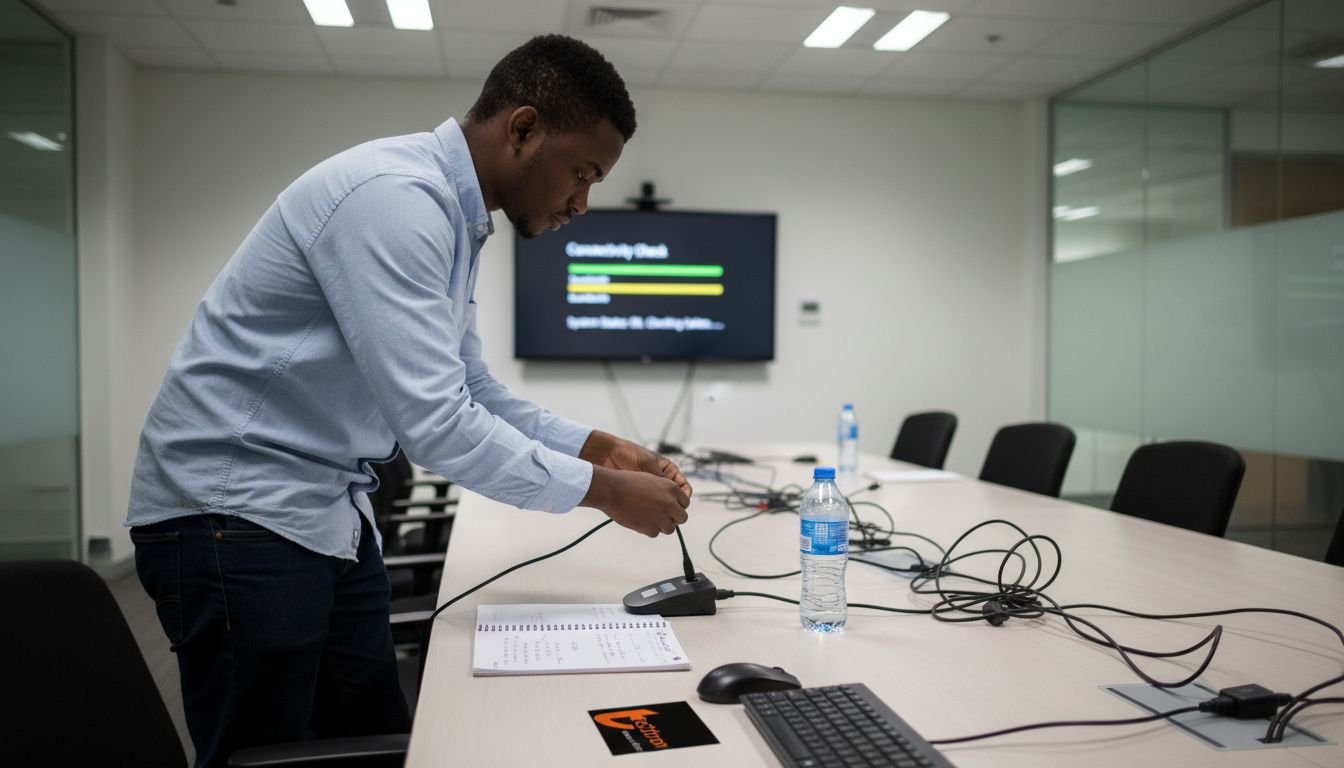
Technical preparation deserves particular emphasis because it determines whether meetings begin productively or waste precious minutes troubleshooting. Establishing a setup checklist for Microsoft Teams ensures consistency across your organization while reducing the cognitive load on individual participants.
Comparing key technical and behavioral video conferencing factors
Understanding how technical infrastructure and behavioral protocols interact reveals optimization opportunities for IT managers seeking comprehensive improvements. Both dimensions contribute uniquely to video conferencing success, requiring balanced investment and attention.
| Factor Category | Critical Elements | Impact on Meeting Quality |
|---|---|---|
| Technical Requirements | Network bandwidth, upload speeds, latency, hardware capabilities, software stability | Determines baseline feasibility and reliability of connections |
| Behavioral Protocols | Agenda distribution, participant engagement, muting discipline, speaking clarity, time respect | Influences professional perception and collaboration effectiveness |
| Combined Effect | Infrastructure enables participation; etiquette maximizes value extraction | Creates compound advantages when both dimensions align properly |
Technical factors establish the foundation for viable video conferencing. A baseline of 10-25 Mbps download and 5 Mbps upload speed is recommended for good video conferencing experience, with upload speeds often proving more critical than download capacity for video transmission quality. High latency above 150 ms causes noticeable delays degrading call quality, creating awkward conversation gaps that undermine natural dialogue flow.
Pro Tip: Monitor consistent network performance rather than peak speeds, as stability matters more than occasional bandwidth spikes for reliable video conferencing.
Behavioral factors determine how effectively participants leverage available technology. Poor etiquette wastes even premium infrastructure investments, while excellent protocols can partially compensate for modest technical limitations. The interaction between these dimensions creates multiplier effects when aligned properly.
Hybrid meeting scenarios demand particular attention to both technical and behavioral considerations. The fishbowl effect in hybrid meetings can be mitigated by ensuring all participants connect individually to the call, preventing in-room attendees from dominating conversations. This technical configuration change enables behavioral equity that purely policy-based approaches struggle to achieve.
IT managers should audit both dimensions systematically:
- Conduct network performance testing during typical usage periods to identify bandwidth constraints and latency issues
- Survey participants about perceived meeting quality and etiquette compliance to surface behavioral improvement opportunities
- Compare technical metrics against behavioral feedback to prioritize investments that deliver maximum impact
For firms experiencing persistent video conferencing challenges, examine whether root causes stem from common IT problems in SMEs or common IT mistakes small companies make that undermine collaboration infrastructure.
Making informed decisions for improving video conferencing etiquette in your firm
IT managers face strategic choices about how to elevate video conferencing performance across technical and behavioral dimensions. Prioritization determines which improvements deliver fastest returns while building toward comprehensive long-term solutions.
Consolidating communication tools into a single platform reduces redundancies and improves efficiency, eliminating the cognitive overhead of managing multiple systems with conflicting etiquette norms. Platform consolidation also simplifies training requirements and support workflows. However, migrating large user bases to new platforms requires careful planning to avoid disruptions that temporarily degrade meeting quality during transitions.
Infrastructure investments offer measurable performance improvements for geographically distributed teams. Edge data centers reduce latency by 50-100 milliseconds compared to centralized clouds, creating noticeably smoother interactions. These improvements become critical when supporting international collaboration across multiple time zones.
Pro Tip: Implement incremental etiquette improvements through quarterly focus areas rather than attempting comprehensive overhauls that overwhelm teams and resist adoption.
Key decision factors for IT managers include:
- Current pain points: Identify whether technical failures or behavioral lapses cause more frequent disruptions through user surveys and support ticket analysis
- Budget availability: Determine whether immediate funds support infrastructure upgrades or if behavioral training delivers better short-term returns
- Change capacity: Assess organizational readiness for platform migrations versus incremental process improvements
- Competitive pressures: Evaluate whether client expectations or talent retention needs demand urgent video conferencing enhancements
| Investment Type | Typical Timeframe | Primary Benefits |
|---|---|---|
| Etiquette training programs | 2-4 weeks implementation | Immediate behavioral improvements, low cost |
| Platform consolidation | 3-6 months migration | Reduced complexity, unified experience |
| Network infrastructure upgrades | 6-12 months deployment | Foundational performance gains |
| Edge computing adoption | 12-18 months rollout | Latency reduction, geographic optimization |
Successful firms treat video conferencing etiquette as an evolving competency requiring ongoing attention rather than one-time fixes. Regular policy updates reflect emerging platform features and changing collaboration patterns. User education programs reinforce standards while acknowledging that perfect compliance remains aspirational.
For strategic guidance on aligning these decisions with broader IT objectives, explore our insights on IT infrastructure management strategies and co-managed IT strategic approach that support sustainable technology improvements.
Enhance your video conferencing etiquette with TECHTRON’s IT solutions
TECHTRON delivers tailored IT infrastructure management strategies that optimize network performance and conferencing reliability for professional service firms. Our solutions address both technical foundations and operational workflows, ensuring your teams maintain professional standards across all virtual interactions. We specialize in supporting engineering and financial firms with 20 to 300 staff members who demand enterprise-grade collaboration tools.
Our co-managed IT strategic approach enables smooth technology transitions while preserving meeting quality during platform migrations or infrastructure upgrades. We partner with your internal teams to implement video conferencing improvements without disrupting daily operations. Explore our effective remote team management resources designed to foster professional etiquette and productivity in distributed work environments.
What is the best way to reduce technical disruptions in video conferences?
Regularly perform pre-meeting technical checks covering microphone functionality, camera quality, and internet connectivity at least five minutes before scheduled start times. Update hardware drivers and software applications proactively rather than waiting for failures to force emergency interventions. Ensure your network bandwidth meets recommended thresholds of 10-25 Mbps download and 5 Mbps upload to maintain stable video transmission.
Utilize network optimization techniques including Quality of Service configurations that prioritize video traffic over less time-sensitive data transfers. Consider edge data centers or content delivery networks to reduce latency for geographically distributed teams. For platform-specific optimization guidance, review our Microsoft Teams meeting tips covering technical preparation best practices.
How can IT managers promote better video conferencing etiquette among staff?
Establish clear etiquette guidelines documented in accessible locations and communicate them company-wide through multiple channels including onboarding materials and periodic reminders. Provide training sessions combining technical skill development with behavioral expectations to build competence and confidence across all experience levels. Lead by example during meetings while encouraging peer accountability through gentle corrections and positive reinforcement.
Integrate etiquette standards into performance evaluations and team feedback mechanisms to signal organizational priorities. For comprehensive meeting structure guidance, explore our resources on effective meeting management that align technical and behavioral best practices.
What bandwidth and latency standards should firms target for optimal video calls?
Target download speeds of at least 10-25 Mbps and upload speeds above 5 Mbps to support high-quality video transmission without degradation during typical usage scenarios. Aim for latency below 100 milliseconds for seamless interaction that participants perceive as instantaneous. Avoid latency above 150 milliseconds because noticeable delays at this threshold create awkward conversation gaps that disrupt natural dialogue flow.
Regularly test network performance during peak usage periods to identify bottlenecks that emerge under realistic load conditions rather than ideal circumstances. Upload speed capacity often determines video quality more significantly than download bandwidth for participants actively transmitting video feeds.
What are effective strategies to ensure all participants engage equally in hybrid meetings?
Have all attendees, including in-room participants, join the call individually via their laptops, increasing remote engagement by 25% by eliminating the fishbowl effect where remote participants feel excluded. Use facilitation techniques that actively invite remote participant input before soliciting in-room contributions to prevent location-based speaking hierarchies. Leverage technology features including spotlight views, hand-raise functions, and reaction tools to balance visibility and speaking opportunities across physical locations.
Designate a meeting facilitator responsible for monitoring participation equity and proactively redirecting conversation flow when imbalances emerge. Rotate facilitation responsibilities to build organizational capacity for inclusive hybrid collaboration.
Recommended
- 9 tips for meeting with Microsoft Teams – TECHTRON
- What you need to know about workplace chat apps | TECHTRON
- Effective Meeting Management 2025 | TECHTRON
- Enhanced scheduling experience arrives on Teams | TECHTRON
- Hybrid Meeting Tips for Boosting Member Engagement Effectively|CS
- Tips for Crafting Videos That Drive Engagement and Sales | Kickass Online