

Master Business Password Management for Secure Operations
Did you know that 60% of users admit to reusing passwords at work? Weak password habits like these leave organizations open to cyber attacks and data breaches. For any business, understanding where password risks hide is the first step toward real security. This guide uncovers common pitfalls and simple strategies that can help you build a safer digital workplace for everyone on your team.
Quick Summary
| Key Point | Explanation |
|---|---|
| 1. Assess current password practices | Review existing password management to identify vulnerabilities and improve security measures. |
| 2. Implement a centralized password management system | Establish a unified platform to secure and manage access credentials effectively. |
| 3. Enforce strong access controls | Set comprehensive security protocols to minimize unauthorized access and enhance protection. |
| 4. Train staff on secure password behaviors | Develop a training program that empowers employees to maintain robust password security practices. |
| 5. Regularly audit password management effectiveness | Continuously monitor and assess password practices to identify vulnerabilities and ensure compliance. |
Table of Contents
- Step 1: Assess Current Password Practices And Risks
- Step 2: Implement A Centralized Password Management System
- Step 3: Configure Strong Access Controls And Policies
- Step 4: Train Staff On Secure Password Behaviors
- Step 5: Audit And Monitor Password Management Effectiveness
Step 1: Assess current password practices and risks
In this critical step, you’ll conduct a comprehensive review of your organization’s current password management landscape to identify potential vulnerabilities and risks. Your goal is to understand how employees currently handle passwords and pinpoint areas needing immediate improvement.
Start by gathering information through confidential staff surveys and technical assessments. Ask your team about their current password creation strategies. According to a 2025 study in South Africa’s Eastern Cape health department, 60% of users reuse passwords, revealing widespread risky behavior that could compromise your entire network.
Review your current password policies systematically. Check how often passwords are mandated to change, what complexity requirements exist, and whether multi factor authentication is implemented. Pay special attention to administrative and high access accounts which represent the most significant potential breach points.
Pro Tip: Document everything. A written assessment provides a clear baseline for future improvements and helps track your security evolution.
Quickly map out different password practices across departments. Some teams might have stronger protocols than others. Look for inconsistencies in password management that could create systemic weaknesses. The same research highlighted that operational password reset delays were often connected to unclear role assignments.
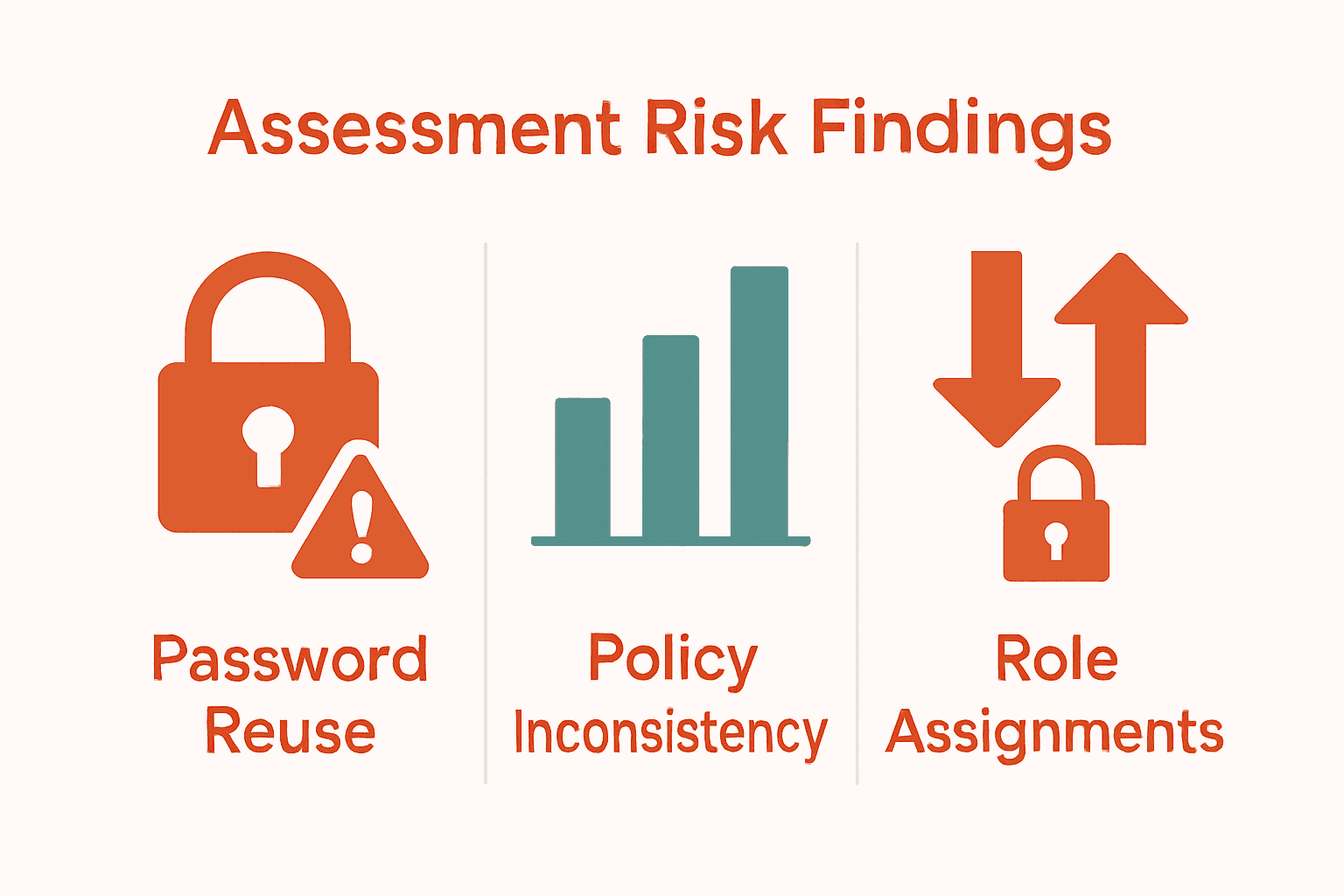
Here’s a summary of common password risks identified during assessments:
| Risk Area | Typical Findings | Impact |
|---|---|---|
| Password Reuse | 60% of users reuse passwords | Increased breach likelihood |
| Policy Inconsistency | Varies across departments | System-wide vulnerabilities |
| Role Assignments | Unclear reset responsibilities | Delays in security response |
| Complexity Requirements | Often too weak or unclear | Easier to guess/crack passwords |
| MFA Adoption | Frequently incomplete | Higher risk for critical accounts |
Your next step will involve translating these findings into a robust password management strategy that addresses the specific risks uncovered during this assessment. Our guide on creating strong passwords can help you develop comprehensive security protocols tailored to your organization’s unique needs.
Step 2: Implement a centralized password management system
In this pivotal stage, you will establish a unified password management approach that consolidates and secures your organization’s access credentials. Your goal is to create a single source of truth for password management that reduces risks and simplifies security protocols.
Begin by selecting an enterprise grade password management platform compatible with your existing infrastructure. Look for solutions that offer robust encryption, secure password generation, and comprehensive access controls. Our password management tips for professional businesses provide excellent guidance on choosing the right system.
Configure the platform to enforce strong password policies across your entire organization. This means setting minimum complexity requirements, mandating regular password updates, and implementing automatic password rotation for critical accounts. Ensure the system supports multi factor authentication and provides detailed access logging.
Pro Tip: Choose a password manager that allows granular role based access controls to limit credential exposure.
Training is crucial during implementation. Schedule comprehensive workshops to teach employees how to use the new system effectively. Demonstrate the platform’s features highlight the security benefits and address any concerns about usability. Make the transition feel supportive rather than punitive.
Migrate existing credentials systematically. Start with administrative accounts and progressively move team members into the new system. Provide clear documentation and direct support during the transition to minimize disruption.
Password security is your security, so approach this implementation as a strategic investment in your organization’s digital resilience. Your next phase will involve continuous monitoring and refinement of your password management strategy.

Step 3: Configure strong access controls and policies
In this critical stage, you will design and implement robust security protocols that protect your organization’s digital assets through intelligent access management. Your objective is to create a comprehensive security framework that minimizes unauthorized access risks.
According to a 2025 South African analysis, best practices for access controls include enforcing complex password requirements. Specifically, implement a minimum 12-character password policy that mandates a mix of uppercase and lowercase letters, numbers, and special characters. Explore our password security guidelines to understand how to create truly secure access protocols.
Configure your systems to prevent password reuse and implement mandatory multi factor authentication for all critical accounts. Set up automatic password rotation cycles between 90 to 180 days to ensure continuous security. This approach dramatically reduces the potential for unauthorized system access.
Pro Tip: Implement progressive account lockout mechanisms that temporarily restrict access after multiple failed login attempts.
Create role based access controls that provide employees with the minimum necessary system permissions for their specific job functions. This principle of least privilege ensures that team members can only access resources directly relevant to their work responsibilities.
Establish clear documentation outlining your access control policies. Communicate these guidelines transparently to your entire organization. Ensure that employees understand the reasoning behind these security measures and feel supported in following them.
Our password management tips for professional businesses can provide additional insights into creating a comprehensive access management strategy. Your next step will involve ongoing monitoring and continuous refinement of these security protocols.
Step 4: Train staff on secure password behaviors
In this crucial phase, you will transform your team into a proactive first line of defense against cybersecurity threats. Your mission is to develop a comprehensive training program that empowers employees with the knowledge and skills to maintain robust password security.
According to a 2025 Eastern Cape study, only 44% of staff received intermediate level security training, revealing significant gaps in organizational cybersecurity education. Explore our 10 essential password security tips to create a foundational training framework that addresses these critical knowledge gaps.
Design an engaging training program that goes beyond technical instructions. Use real world scenarios and interactive demonstrations to help employees understand the tangible impacts of poor password management. Break down complex security concepts into relatable examples that resonate with different roles and skill levels.
Pro Tip: Make security training a continuous process. Regular short refresher sessions are more effective than annual marathon workshops.
Develop practical workshops that teach employees how to create strong passwords, recognize phishing attempts, and understand the importance of multi factor authentication. Include hands on exercises where team members practice generating secure passwords and identifying potential security risks.
Implement a feedback mechanism that allows employees to ask questions and share their security concerns. This approach not only educates but also creates a collaborative security culture where everyone feels responsible for protecting the organization’s digital assets.
Learn how to create the perfect password to supplement your training materials. Your next step involves establishing a continuous learning environment that keeps cybersecurity knowledge current and engaging.
Step 5: Audit and monitor password management effectiveness
In this final critical stage, you will establish a robust monitoring system to continuously assess and improve your organization’s password security practices. Your goal is to create a proactive approach that identifies vulnerabilities and validates the effectiveness of your password management strategy.
According to CyberStack’s 2025 report, many organizations struggle with limited visibility into credential hygiene. Our password management tips for professional businesses can help you implement comprehensive monitoring tools that track password strength, reuse patterns, and policy compliance.
Develop a comprehensive auditing framework that includes regular automated assessments of password complexity, frequency of password changes, and adherence to your established security policies. Pay close attention to administrative and high privilege accounts, as these represent the most significant potential security risks.
Pro Tip: Implement quarterly comprehensive password health checks that provide detailed reports on your organization’s credential security status.
Analyze password reset patterns and operational inefficiencies. The 2025 research indicates that monitoring reset delays can reveal critical governance gaps. Look for patterns that suggest systemic issues such as overly complex password requirements or insufficient user support.
Create a confidential reporting mechanism that allows employees to provide feedback on the password management system. This approach helps identify potential usability issues that might encourage unsafe password practices.
Learn how to create the perfect password to support your ongoing security education efforts. Your organization is now positioned to maintain a dynamic and responsive approach to password security management.
Take Control of Your Business Password Security Today
Is your organisation ready to tackle the real risks that come with scattered password habits and inconsistent access controls? This article has shown how reused passwords, unclear reset responsibilities, and gaps in staff training can leave even the most reputable companies exposed. Weak points in your password management are more than a nuisance—they threaten client trust, data protection, and your ability to meet compliance standards. Without a proactive solution, the pressure on your team grows with every audit and attempted breach.
Stay ahead of cyber threats and reduce your IT burden by letting experts create a strong foundation for your security. Secure your operations and empower your staff with guidance built for South African businesses. Visit Techtron IT Solutions to discover how our fully managed IT services protect your passwords, networks, and sensitive client data. Ready to move from risk to reassurance? Contact us today and let our specialists help you turn password management into a competitive advantage. Explore our in-depth password security guidelines and practical tips for password management to start building your safer future right now.
Frequently Asked Questions
How can I assess our current password management practices?
To assess your current password management practices, conduct staff surveys and technical assessments to identify vulnerabilities and risky behaviors. Gather data on factors like password reuse, policy inconsistency, and complexity requirements to pinpoint areas needing improvement.
What features should I look for in a password management system?
Look for a password management system that offers strong encryption, secure password generation, multi-factor authentication, and detailed access logging. Ensure it supports role-based access controls to minimize credential exposure and is compatible with your existing infrastructure.
How often should I conduct password audits and monitoring?
Conduct quarterly audits to evaluate password complexity, frequency of changes, and adherence to security policies. This proactive approach helps identify vulnerabilities and maintain robust password hygiene across your organization.
What are effective training strategies for staff on password security?
Develop training programs that use real-world scenarios and interactive demonstrations to engage employees. Conduct practical workshops focused on creating strong passwords and recognizing phishing attempts, ensuring continuous learning through regular refresher sessions.
How can I create and enforce strong access control policies?
Implement strong access control policies by setting minimum password complexity requirements, enforcing multi-factor authentication for critical accounts, and limiting system access based on job functions. Use role-based access controls to ensure employees only have access to information necessary for their roles.
What should I do if I identify a potential password security breach?
If you identify a potential password security breach, immediately change the impacted passwords and conduct a thorough investigation to understand the breach’s scope. Notify your team to remain vigilant and reinforce training on secure password behaviors to prevent future incidents.
Recommended
- Password Management Tips for Professional Businesses | TECHTRON
- 10 Essential Password Security Tips for Businesses – TECHTRON
- Password security is your security | TECHTRON
- How to Create Strong Passwords for Enhanced Security – TECHTRON
- Enhancing Business Security with Advanced Access Control Solutions – 247 CCTV Security Ltd
- Understanding the Importance of Payment Security – Omnichannel payments at the Point Of Sale | Sensepass