

Establish a Secure Remote Work Environment for Teams
Nearly half of all South African companies report significant cybersecurity challenges when shifting to remote work. As organizations embrace flexible working models, protecting sensitive data becomes a critical concern both for business leaders and employees. This guide unpacks the essential strategies every South African business should adopt to keep remote environments secure, from pinpointing the right roles for remote work to testing digital defenses that protect company assets.
Quick Summary
| Key Point | Explanation |
|---|---|
| 1. Assess Remote Work Suitability | Evaluate job roles for remote work potential, considering tasks, collaboration needs, and employee capabilities to ensure efficiency. |
| 2. Ensure Strong Endpoint Security | Implement multifactor authentication, regular updates, and antivirus measures to protect devices and sensitive data from cyber threats. |
| 3. Establish Access Controls | Use role-based access and advanced authentication protocols to restrict access to sensitive information, enhancing data security. |
| 4. Configure Safe Collaboration Tools | Choose encrypted platforms, enforce strict usage policies, and educate employees to ensure secure team communication remotely. |
| 5. Regularly Test Security Measures | Conduct continuous vulnerability assessments and penetration tests to identify and address security gaps in the remote work infrastructure. |
Step 1: Assess Company Remote Work Requirements
Assessing your organisation’s remote work requirements is a strategic process that determines how effectively your team can operate outside traditional office environments. This crucial evaluation helps you understand which roles are suitable for remote work and what technological infrastructure you’ll need to support your employees.
Start by conducting a comprehensive job role analysis that examines each position’s specific duties, communication needs, and performance metrics. Not every role is equally adaptable to remote working some positions require constant in person collaboration or access to specialised equipment. Create a detailed matrix categorising roles based on their remote work potential considering factors like digital dependency, collaboration frequency, and individual employee capabilities.
Your assessment should include technical infrastructure requirements. This means evaluating the hardware devices, software platforms, and cybersecurity protocols necessary to maintain productivity and protect sensitive company data. Consider aspects like secure internet connections, company approved laptops, virtual private network access, and collaboration tools that enable seamless communication.
Pro tip: Create a standardised remote work assessment checklist that objectively scores each role’s remote work suitability based on predefined criteria such as digital skill levels, job complexity, and communication requirements.
Step 2: Implement Robust Endpoint Security Measures
Implementing robust endpoint security measures is critical to protecting your organisation’s digital infrastructure and preventing potential cybersecurity breaches. This step involves creating a comprehensive strategy that safeguards all devices connected to your network including laptops, smartphones, and remote workstations.

Begin by establishing multifactor authentication protocols that require employees to verify their identity through multiple verification steps. This significantly reduces the risk of unauthorised access even if a password is compromised. Implement strong password requirements that mandate complex combinations including uppercase and lowercase letters, numbers, and special characters. Consider using password management tools that generate and store secure credentials for your team.
Your endpoint security strategy must also include regular software updates, comprehensive antivirus protection, and encryption technologies. Install endpoint detection and response systems that can monitor network activities in real time, identify potential security threats, and automatically respond to suspicious behaviour. Ensure all remote devices have up to date security patches and that your organisation maintains a centralised management system to track and control device access.
Pro tip: Develop a comprehensive endpoint security policy that clearly outlines acceptable device usage, mandatory security protocols, and consequences for non compliance to create a culture of security awareness among your employees.
Step 3: Deploy Secure Access and Authentication Controls
Deploying secure access and authentication controls is a critical strategy for protecting your organisation’s digital resources and preventing unauthorized network entry. This process involves implementing robust verification mechanisms that ensure only authenticated and authorized personnel can access sensitive systems and data.
Begin by establishing centralized remote access management protocols that create a standardized approach to user authentication. Implement role based access controls that assign specific permission levels to different employee groups ensuring that individuals can only access information directly relevant to their job functions. Use advanced authentication technologies such as biometric verification fingerprint or facial recognition systems and hardware security tokens that provide an additional layer of security beyond traditional password mechanisms.
Configure your authentication systems to require comprehensive verification steps including multifactor authentication that combines multiple identity confirmation methods. This might involve a combination of something the user knows a password, something they have a mobile device or security token and something they are biometric data. Regularly audit and update these access controls to address emerging security vulnerabilities and ensure your authentication mechanisms remain resilient against potential cyber threats.
The following table compares three common methods of user authentication for remote environments:
| Method | Security Strength | User Experience |
|---|---|---|
| Password-only | Low – easily compromised | Simple, widely used |
| Multifactor authentication | High – multiple checks | Slightly slower but secure |
| Biometric verification | Very high – unique traits | Fast, convenient, hardware needed |
Pro tip: Develop a comprehensive user access review process that includes quarterly audits of user permissions to quickly identify and remove unnecessary or outdated access privileges.
Step 4: Configure Protected Collaboration and Cloud Tools
Configuring protected collaboration and cloud tools is essential for creating a secure remote work environment that enables seamless team communication while maintaining robust cybersecurity standards. This step involves carefully selecting and implementing digital platforms that support efficient workflow without compromising sensitive organisational information.
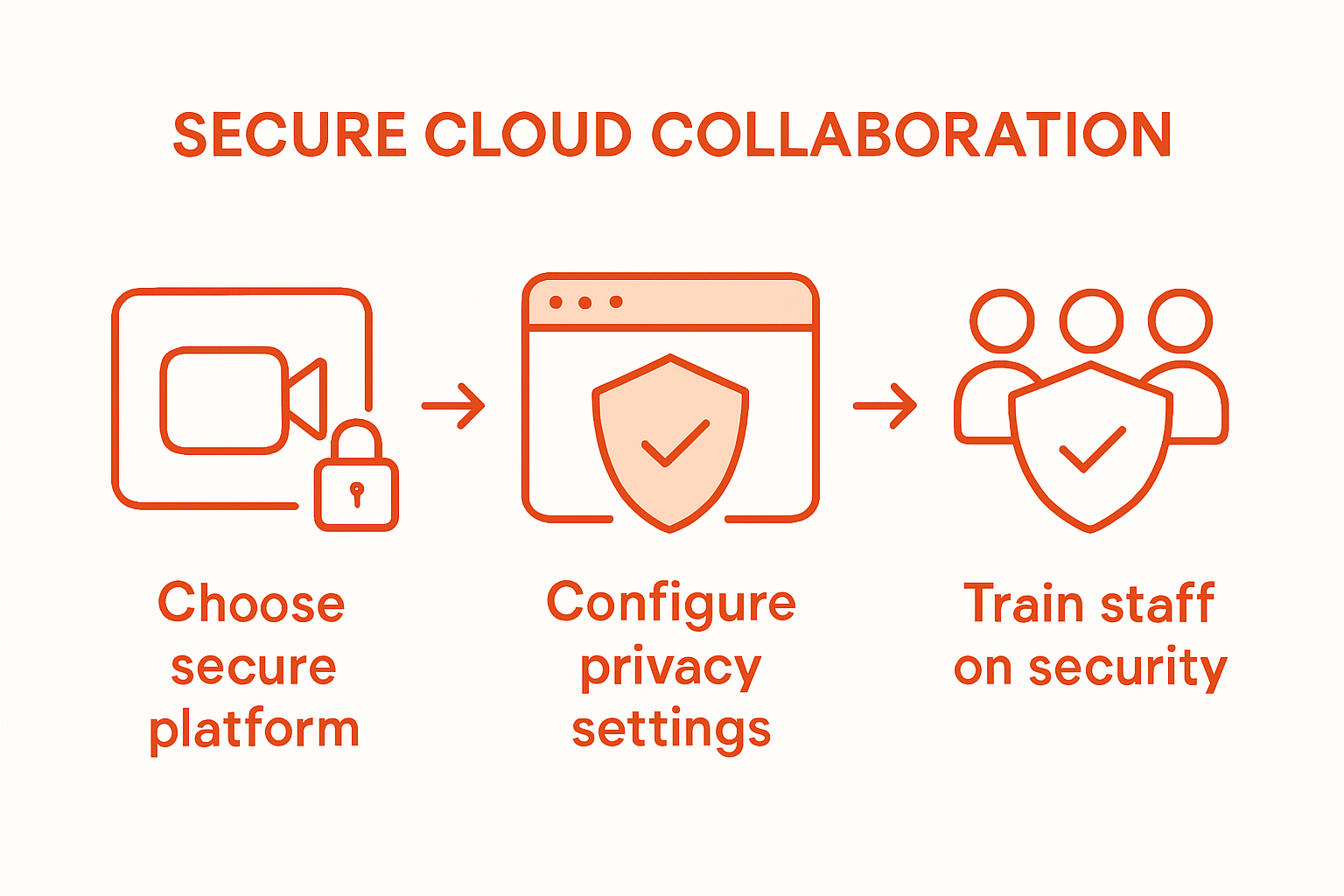
Start by selecting secure video conferencing applications that prioritise data encryption and privacy protection. Implement comprehensive security protocols such as requiring multifactor authentication for all cloud platform access and establishing strict guidelines about which collaboration tools are approved for business use. Ensure that your chosen platforms support end to end encryption advanced access controls and provide detailed audit logs to track user activities and potential security incidents.
Establish clear policies regarding cloud tool usage including mandating the use of corporate virtual private networks when accessing shared resources and prohibiting the installation of unauthorized software or applications. Configure cloud storage solutions with granular permission settings that allow precise control over who can view edit or share specific documents. Regularly review and update these configurations to address emerging security vulnerabilities and ensure your collaboration ecosystem remains resilient against potential cyber threats.
Pro tip: Conduct periodic security awareness training to educate employees about safe cloud tool usage and potential phishing risks associated with collaboration platforms.
Step 5: Verify and Test Remote Work Environment Security
Verifying and testing your remote work environment security is a critical process that ensures your organisation’s digital infrastructure remains protected against potential cyber threats. This comprehensive assessment involves systematic evaluation of all remote access points technological vulnerabilities and potential security gaps.
Begin by identifying all critical systems and high privileged user access points within your remote work infrastructure. Conduct thorough penetration testing that simulates potential cyberattack scenarios to uncover potential weaknesses in your network security. This process should include comprehensive vulnerability scanning network mapping and simulated phishing attempts to assess your team’s preparedness against sophisticated digital threats. Develop a detailed report that highlights discovered vulnerabilities and provides actionable recommendations for addressing potential security risks.
Implement a continuous monitoring and verification framework that includes regular security assessments performance testing and compliance checks. Establish protocols for immediate remediation of identified security weaknesses and create a structured approach to updating and patching remote work technologies. Ensure that all remote employees understand their responsibilities in maintaining secure connections and reporting potential security incidents. Create clear communication channels and escalation procedures that enable rapid response to emerging cybersecurity challenges.
Pro tip: Develop an automated security testing schedule that runs comprehensive vulnerability assessments quarterly and immediately after any significant network or infrastructure changes.
Here’s a summary of key remote work security measures and their business benefits:
| Security Measure | Purpose | Business Benefit |
|---|---|---|
| Multifactor authentication | Confirms user identity with multiple steps | Prevents unauthorised system access |
| Endpoint detection & response | Monitors and reacts to security threats | Reduces downtime from cyberattacks |
| Role-based access controls | Limits access by job function | Minimises risk of data breaches |
| Cloud tool encryption | Secures data transfer and storage | Maintains privacy and legal compliance |
| Continuous vulnerability testing | Finds and addresses security weaknesses | Protects business continuity |
Strengthen Your Remote Work Security with Expert IT Support
The article highlights critical challenges many organisations face when establishing a secure remote work environment. From assessing remote work suitability and deploying multifactor authentication to configuring protected collaboration tools and conducting continuous vulnerability testing, the need for robust, proactive security measures is clear. These challenges can leave your business vulnerable to cyber threats and data breaches while increasing the burden on internal teams.
At Techtron, we understand these pain points and tailor enterprise-grade IT management services that focus on cybersecurity, cloud integration, and seamless remote workforce enablement. Our fully managed and co-managed IT services cover endpoint protection, identity and access management, and cloud security solutions such as Microsoft 365 and Azure — empowering your team with secure collaboration tools and continuous vulnerability assessments. Do not wait for a security breach to disrupt your operations or risk compliance challenges. Visit Techtron’s managed IT services today to explore how we can help you establish a resilient remote work environment and safeguard your organisation’s digital future.
Frequently Asked Questions
How can I assess my team’s remote work requirements?
To assess your team’s remote work requirements, conduct a detailed job role analysis. Evaluate each position’s specific duties and collaboration needs to determine their suitability for remote work within 30 days.
What endpoint security measures should I implement for remote work?
Implement multifactor authentication and strong password policies to safeguard all devices. Additionally, ensure regular software updates and antivirus protection to maintain security standards across the organisation.
How do I ensure secure access for remote employees?
Establish role-based access controls to regulate what information employees can access based on their job functions. Regularly audit these access controls every quarter to keep them up to date and secure.
What collaboration tools are secure for remote teams?
Select collaboration tools that offer data encryption and enhanced privacy features. Ensure these platforms provide multifactor authentication and strict guidelines to prevent unauthorised software installations.
How often should I verify the security of my remote work environment?
Conduct regular security assessments every three months, or immediately following significant network changes. Implement a monitoring framework to continuously check for vulnerabilities and keep the system secure.
What should I include in security awareness training for remote employees?
Include topics on safe cloud tool usage and recognising phishing risks during security awareness training. Conduct this training periodically to ensure all employees understand their responsibilities in maintaining security.