

Managed vs co-managed IT: which model fits you?
TL;DR:
- Managed IT fully outsources all IT operations to an external provider, while co-managed IT shares responsibilities between internal staff and an MSP. Selecting the appropriate model depends on internal IT capacity, growth plans, and compliance needs, with co-managed IT offering flexibility and specialist access. Effective co-managed arrangements require clear documentation and shared platform access to ensure collaboration and prevent conflicts.
The difference between managed and co-managed IT is ownership: managed IT transfers full operational responsibility to an external provider, while co-managed IT shares responsibility between your internal team and a managed service provider (MSP). For mid-sized South African businesses with 20–300 staff, choosing the wrong model wastes budget, frustrates internal teams, and leaves critical gaps in security and support. This article breaks down both models clearly so you can make the right call.
What is the difference between managed and co-managed IT?
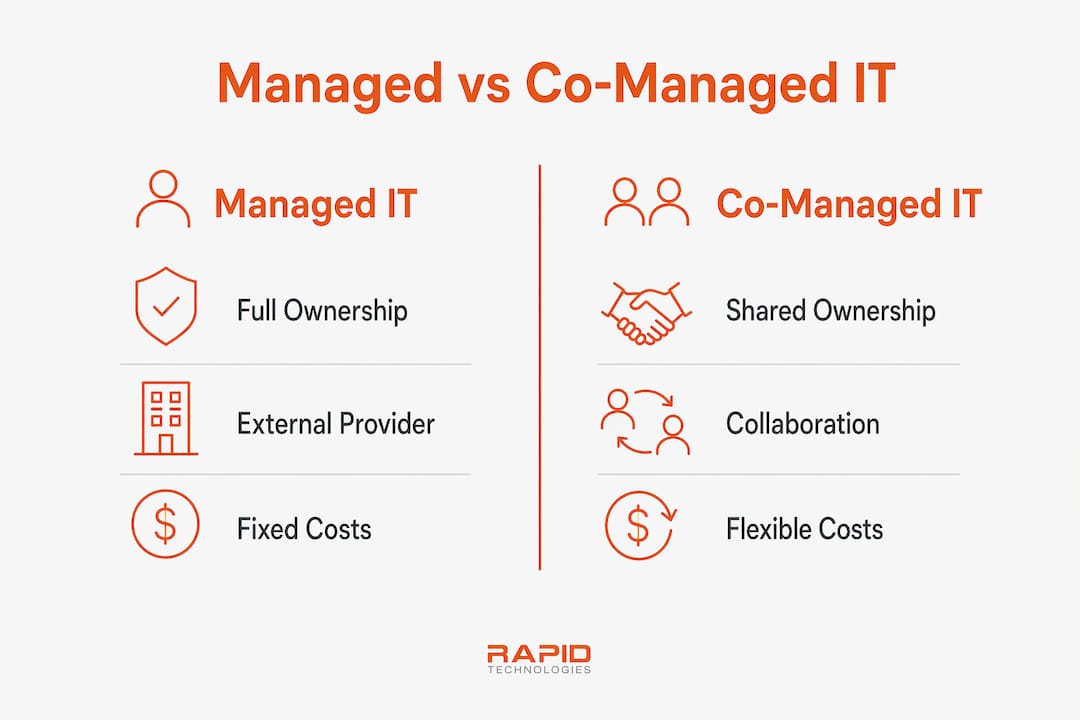
The fundamental difference is ownership. In a fully managed IT model, one MSP owns and runs your entire IT environment. Your business has no internal IT staff involved in day-to-day operations. In a co-managed IT model, your internal IT team retains ownership of certain functions while the MSP fills specific gaps, whether that is after-hours monitoring, cybersecurity, or cloud management.
This distinction matters because it determines cost structure, control, and how your IT team spends its time. Getting it wrong means either overpaying for services you could handle internally or underinvesting in coverage your team cannot realistically provide.
What is managed IT? features and fit
Managed IT is defined as the complete outsourcing of IT operations to a single external provider. The MSP takes full responsibility for your help desk, network monitoring, patch management, backups, and security. Your business pays a predictable monthly fee and receives a defined service level agreement (SLA).
The benefits of managed IT are well documented. Managed IT services can reduce total IT costs by 25%–45% compared to fully in-house operations. That saving comes from eliminating emergency call-out premiums and leveraging the MSP’s economies of scale across multiple clients.
Managed IT works best when:
- Your company has fewer than 50 staff and no dedicated IT person
- You need predictable IT costs without capital expenditure on infrastructure
- Compliance requirements (such as POPIA in South Africa) demand consistent security monitoring
- Your leadership wants zero involvement in IT decisions
Pro Tip: Before signing a managed IT contract, request a copy of the provider’s SLA response times for critical versus non-critical incidents. Many businesses discover the “24/7 support” they were sold only guarantees a four-hour response window for P1 issues.
Managed IT suits companies that treat IT as a utility, not a competitive differentiator. If your business runs on Microsoft 365 and Azure with standard workflows, a fully managed model from a provider like Techtron delivers consistent performance without internal overhead.
What is co-managed IT? the partnership model explained
Co-managed IT is a service model where an MSP supplements your existing internal IT team rather than replacing it. Responsibilities are negotiated and split based on where your internal team has gaps. Your IT manager might own vendor relationships and business-specific systems while the MSP handles 24/7 monitoring, security operations, and after-hours support.
“Co-managed IT frees internal staff to focus on vendor strategy and business leadership, while the MSP absorbs routine and specialist tasks that would otherwise consume the team’s capacity.”
This model is particularly relevant for South African businesses with 50–200 staff that have one or two internal IT staff but cannot afford to hire a full security analyst, cloud architect, or network engineer. Co-managed IT provides enterprise-grade security and 24/7 monitoring without the cost of hiring multiple full-time specialists.
Co-managed IT advantages include:
- Access to specialist skills (cybersecurity, Microsoft Azure, disaster recovery) on demand
- Internal IT staff freed from repetitive tasks to focus on strategic projects
- Flexible cost structures, typically ranging from $60–$150 per user per month
- Scalability as your business grows without immediate headcount increases
One underappreciated benefit is the effect on internal team morale. Internal IT staff often fear that bringing in an MSP threatens their jobs. The reality is the opposite. Co-managed IT elevates internal roles by shifting routine maintenance to the MSP, allowing your IT manager to lead strategic initiatives instead of resetting passwords.
Pro Tip: When structuring a co-managed arrangement, document every responsibility in writing before the contract starts. Ambiguity about who owns a task is the single biggest cause of friction in co-managed setups.

Managed IT vs co-managed IT: side-by-side comparison
The table below compares the two models across the criteria that matter most to mid-sized business leaders.
| Criteria | Managed IT | Co-Managed IT |
|---|---|---|
| Ownership | MSP owns all IT operations | Shared between internal team and MSP |
| Best company size | 5–100 employees | 25–200+ employees |
| Internal IT staff required | None | Yes, at least one |
| Cost structure | Fixed monthly fee per user | $60–$150 per user per month (supplemental) |
| Flexibility | Lower, defined by SLA | Higher, negotiated by function |
| Security model | MSP manages all security | Shared Responsibility Model applies |
| Scalability | High, MSP absorbs growth | High, MSP fills gaps as team grows |
The Shared Responsibility Model in co-managed IT mirrors how AWS and Microsoft Azure divide security duties. The MSP owns “security of” the infrastructure (hardware, network, monitoring), while your internal team owns “security in” the infrastructure (application access, user permissions, data governance). This division prevents security gaps that occur when both parties assume the other is handling a task.
Three factors that determine which model fits your business:
- Internal IT capacity. If your internal team spends more than 40% of their time on repetitive low-value tasks, co-managed IT is the right correction. If you have no internal IT staff, fully managed is the only viable option.
- Growth trajectory. A business planning to double headcount in 18 months needs a model that scales without renegotiating contracts every quarter. Both models scale, but co-managed gives you more control over the pace.
- Compliance requirements. POPIA, ISO 27001, and financial sector regulations in South Africa require documented security controls. Both models can satisfy these requirements, but co-managed IT gives your internal team direct visibility into the controls, which simplifies audits.
How to choose between managed and co-managed IT
Start by auditing your internal IT team’s actual workload. If your IT person is buried in helpdesk tickets and has no time for projects, co-managed IT support from an MSP can absorb the routine work. If you have no internal IT person at all, a fully managed IT service is the correct starting point.
Key decision factors:
- Does your business have at least one internal IT staff member? If yes, co-managed is worth evaluating.
- Do you need specialist skills (cloud architecture, penetration testing, SIEM management) that a single hire cannot cover? Co-managed IT provides those on demand.
- Is cost predictability your primary concern? Fully managed IT offers a single fixed monthly fee with no surprises.
Tool integration is critical in co-managed setups. True co-management requires your internal team to have read-write access to the MSP’s remote monitoring and management (RMM) platform and ticketing system. Without shared visibility, you get duplicated tickets, missed incidents, and finger-pointing. Confirm this before signing any co-managed agreement.
Pro Tip: Ask any MSP you evaluate to show you a live demo of their RMM platform and explain exactly how your internal team will interact with it. If they cannot demonstrate joint access, the “co-managed” label is marketing, not reality.
Key takeaways
The right model between managed and co-managed IT depends entirely on whether your business has internal IT capacity to share responsibility with an MSP.
| Point | Details |
|---|---|
| Ownership defines the model | Managed IT outsources everything; co-managed IT splits responsibility with your internal team. |
| Company size guides the choice | Fully managed suits 5–100 staff; co-managed fits 25–200+ with existing IT staff. |
| Cost savings are real | Managed IT can cut total IT costs by 25%–45% versus fully in-house operations. |
| Integration makes or breaks co-managed | Shared RMM and ticketing access between MSP and internal team is non-negotiable for success. |
| Internal teams benefit from co-managed | Co-managed IT elevates internal IT roles by removing routine tasks and enabling strategic focus. |
The model most south african IT managers get wrong
I have worked with dozens of mid-sized South African businesses, and the most common mistake I see is choosing fully managed IT when the business already has a capable internal IT person. That person then becomes a liaison between the business and the MSP, which is an expensive way to use a skilled resource.
Co-managed IT is the pragmatic middle ground that most growing South African businesses actually need. Your internal IT manager understands your business context, your users, and your legacy systems. An MSP brings the specialist depth and after-hours coverage that a single person cannot sustain alone. The combination is more effective than either option alone.
The co-managed model lives or dies on the quality of the handoff between internal and MSP teams. I have seen co-managed arrangements collapse within six months because nobody documented who owned which tasks. The fix is simple: a shared responsibility matrix, agreed in writing, before day one. It takes two hours to create and saves months of conflict.
For South African businesses navigating load shedding, remote work demands, and tightening POPIA compliance, co-managed IT gives you the flexibility to respond without rebuilding your IT team from scratch every time the business changes.
— Steven
See how Techtron structures co-managed IT for south african businesses
Techtron works with mid-sized South African businesses to design IT service models that match their actual internal capacity and growth plans. Whether you need a fully managed IT service or a co-managed IT partnership that supports your existing team, Techtron builds the model around your business, not a generic template. Techtron’s approach includes shared RMM access, documented responsibility frameworks, and local support that understands the South African operating environment. Explore Techtron’s IT infrastructure management strategies to see how the right model translates into measurable operational results.
FAQ
What is the main difference between managed and co-managed IT?
Managed IT outsources your entire IT operation to one external provider. Co-managed IT shares responsibility between your internal IT team and an MSP, with duties split based on your specific gaps.
What does co-managed IT cost per month?
Co-managed IT services typically cost between $60 and $150 per user per month for mid-sized companies with 50–200 employees, depending on the scope of services provided by the MSP.
Is co-managed IT a threat to internal IT jobs?
No. Co-managed IT elevates internal IT roles by removing routine tasks and allowing your team to focus on strategic projects and business leadership rather than repetitive helpdesk work.
How do i know if my business needs co-managed IT support?
If your internal IT team spends more than 40% of their time on repetitive low-value tasks, or if you need specialist skills like cybersecurity or cloud architecture that a single hire cannot cover, co-managed IT is the right fit.
What is the shared responsibility model in co-managed IT?
The Shared Responsibility Model assigns “security of” the infrastructure to the MSP and “security in” the infrastructure to your internal team. This mirrors how cloud providers like AWS and Microsoft Azure divide security duties to prevent gaps.