

How network monitoring boosts efficiency and security
TL;DR:
- Most traditional network monitoring focuses only on device status, ignoring performance and security issues. Modern unified monitoring correlates signals across infrastructure, applications, and traffic to provide actionable insights, minimizing blind spots. This approach enhances security, efficiency, and operational resilience for multi-site and hybrid environments.
Most IT managers at professional services firms assume network monitoring means checking whether devices are up or down. That view is outdated, and it is quietly costing your business. When your visibility stops at device status, you miss the performance issues, security threats, and application failures that actually affect your staff’s productivity and your clients’ trust. Modern network monitoring ties together infrastructure, applications, and traffic signals into a single, actionable picture. This article explains what that means in practice, where traditional approaches leave dangerous gaps, and how smarter monitoring pays off across security, efficiency, and business agility.
Key Takeaways
| Point | Details |
|---|---|
| Unified visibility matters | Modern monitoring connects network, infrastructure, and applications for better outcomes. |
| Advanced tools prevent blind spots | Traditional SNMP-only monitoring misses critical user-impacting issues. |
| Reduced alert fatigue boosts productivity | Deduplicated, correlated alerts help IT teams focus on real problems. |
| Continuous monitoring enables resilience | Expert-led 24/7 monitoring closes major security gaps for mid-sized firms. |
| Hybrid coverage supports growth | Unified platforms across multi-site and cloud prevent tool sprawl and simplify IT management. |
What network monitoring really means today
Network monitoring used to mean polling a router every five minutes to check if it was still online. That model made sense when business applications lived entirely on a local server and staff sat at fixed desks. Today, your firm likely runs Microsoft 365, cloud-based project tools, a mix of on-site and remote staff, and several branch locations. Device status checks alone do not reflect any of that complexity.
Modern monitoring has evolved into something far more useful. It captures signals from your network devices, your servers and virtual infrastructure, and your business applications simultaneously. The real power comes from correlating those signals. A slowdown in your accounting software, for example, might look like an application bug when it is actually a saturated WAN (wide area network) link at a branch office. Without unified visibility, your IT team chases the wrong problem for hours.
Unified visibility and correlation across network, infrastructure, and application signals is the practical methodology that separates modern monitoring from legacy device polling. This approach shifts attention from “is the device on?” to “is the user experiencing the service they need?” That shift matters enormously for a professional services firm where billable hours and client responsiveness define your reputation.
Here is a quick comparison of legacy versus modern monitoring approaches:
| Capability | Legacy device monitoring | Modern unified monitoring |
|---|---|---|
| Scope | Devices only | Network, servers, apps, cloud |
| Alert basis | Device up/down status | Service and user experience |
| Troubleshooting | Manual, per-device | Correlated, root-cause focused |
| Cloud visibility | None | Full (Azure, Microsoft 365, etc.) |
| Response speed | Hours to identify root cause | Minutes with automated correlation |
Understanding the network monitoring importance for your business goes beyond counting devices. The firms that get real value from monitoring are the ones that align it with the services their staff and clients depend on every day.
Key capabilities you should expect from a modern monitoring platform include:
- Real-time traffic analysis across all network segments, not just device counters
- Application performance baselines so you know what “normal” looks like and can spot degradation early
- Automated correlation that links infrastructure events to user-facing symptoms
- Cloud and hybrid visibility covering on-premise and cloud services in one dashboard
- Historical trending so capacity problems are caught weeks before they cause outages
“Move from device-centric telemetry to service and experience awareness using unified visibility and correlation across network, infrastructure, and application signals.” This is the defining difference between monitoring that adds value and monitoring that just generates noise.
Addressing common blind spots: why traditional methods fall short
Many firms still rely on SNMP (Simple Network Management Protocol) as their primary monitoring method. SNMP is widely supported and easy to deploy, which explains its popularity. However, it has a significant limitation that most IT managers only discover at the worst possible moment.

SNMP-only monitoring misses user-impacting problems because device counters and status fields do not always reflect traffic-level behaviours and application experience. A switch can report 100% operational while a specific traffic class is being dropped due to a queue overflow. Your SNMP poller sees a healthy device. Your staff see a frozen video call or a failed file upload.
This gap is not theoretical. Consider a 60-person engineering firm where project files are shared via a cloud platform. If the internet uplink develops packet loss at specific times of day, SNMP will report the interface as up and running at full speed. But engineers will complain that file syncing is slow and video calls keep dropping. Without traffic-level analysis, your IT support team spends days rebooting equipment, reinstalling software, and chasing ghosts.
The contrast between monitoring approaches becomes clear when you examine what each one actually detects:
| Problem type | SNMP detection | Traffic-aware detection |
|---|---|---|
| Device offline | Yes | Yes |
| Interface errors | Partial | Full detail |
| Packet loss on specific flows | No | Yes |
| Application latency | No | Yes |
| Security anomalies in traffic | No | Yes |
| VoIP quality degradation | No | Yes |
The benefits of remote network monitoring become especially visible here. A managed monitoring service brings traffic-aware tools and experienced analysts who know what normal looks like for your environment. They catch the problems your in-house team simply cannot see with basic polling tools.
How do you close these blind spots? A structured approach helps:
- Audit your current monitoring scope. List every business-critical service and ask whether your monitoring actually covers user-facing performance for each one.
- Add flow-based traffic analysis. NetFlow or similar technologies let you see exactly what is on the wire, not just whether the wire is connected.
- Establish application performance baselines. Use your performance monitoring guide to document what acceptable response times look like for each critical application.
- Test your alerting. Simulate degraded conditions and verify your monitoring actually generates a meaningful alert before a real incident reveals the gap.
- Review monthly. Your application landscape changes. Your monitoring coverage should keep up.
Pro Tip: Ask your monitoring vendor or MSP (managed service provider) to show you a sample traffic analysis report for your environment. If they can only show you device uptime graphs, that is a strong signal your monitoring has a visibility gap.
Operational efficiency: how monitoring reduces noise and focuses IT teams
Here is a problem that does not get enough attention: too many alerts are just as damaging as too few. When your monitoring platform fires dozens of notifications for every incident, your IT staff learn to tune them out. That habit is dangerous. The real fault signal gets buried in noise, and response times suffer.
Alert fatigue reduction through correlation and deduplication is one of the most tangible operational efficiency gains from modern monitoring. When a core switch goes down, it may cause 40 dependent devices to report offline simultaneously. A smart platform groups those into a single root-cause event. Your team gets one ticket to investigate, not 40.
This matters practically for mid-sized South African firms where your IT team might be two to four people, possibly shared across multiple sites. Every hour spent chasing false positives is an hour not spent on strategic projects, security reviews, or staff support.
The business benefits of remote monitoring for your business become clear when you look at engineering time saved. Firms that implement correlation-based monitoring consistently report that their support queues shrink not because fewer problems occur, but because real incidents are identified and resolved faster.
Key efficiency gains from well-configured monitoring include:
- Reduced mean time to resolution (MTTR) because the root cause is surfaced automatically rather than discovered through manual investigation
- Fewer repeat incidents because trending data reveals degrading components before they fully fail
- Better capacity planning because historical utilisation data replaces guesswork
- Proactive staff communication so users are informed of known issues before they flood the helpdesk
- Streamlined reporting for management that shows real uptime and performance data
There are also compelling reasons to use remote monitoring beyond just alert management. Continuous visibility means your IT team is never flying blind, even during off-hours when most security incidents actually occur.
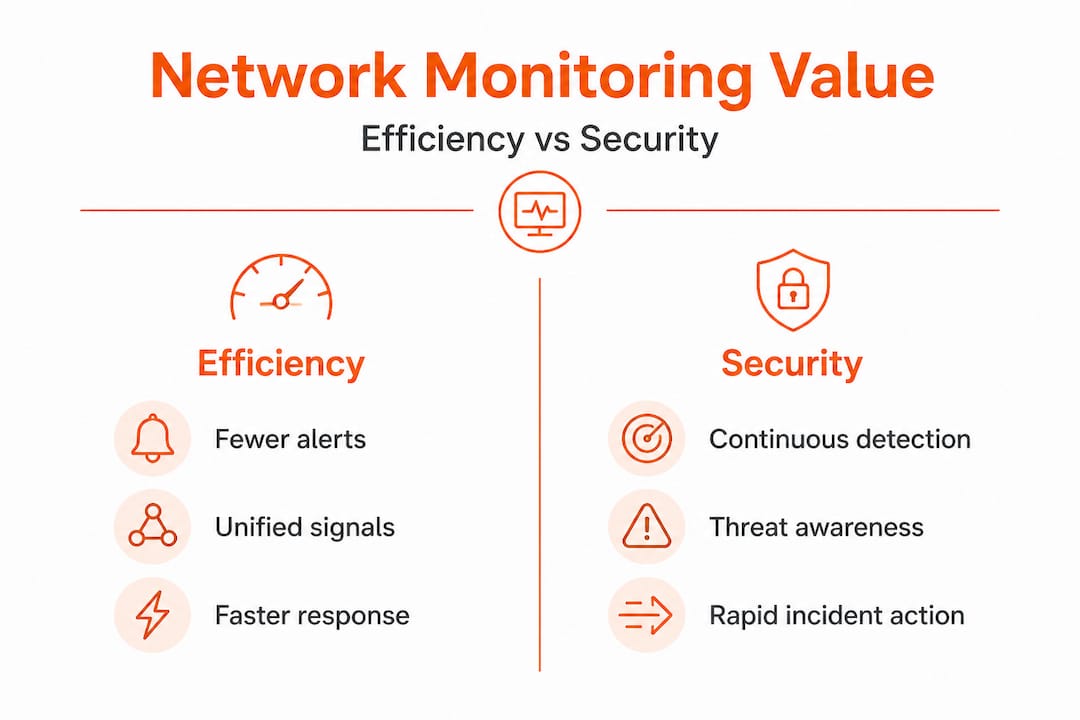
Pro Tip: Set a target for your alert-to-incident ratio. If your team receives 200 alerts per week but only 15 represent real incidents requiring action, your correlation and deduplication settings need tuning. A healthy ratio is closer to 3:1.
Security resilience: continuous monitoring versus more IT tools
A common response to security concerns is to buy another tool. Another firewall. Another endpoint agent. Another log aggregator. Tools matter, but they only create value if someone is watching and responding to what they report.
For mid-sized professional service firms with constrained IT teams, the more useful frame is “continuous monitoring capacity” rather than “more tools.” A threat that is detected at 2:00 AM but reviewed at 9:00 AM may have already caused damage that could have been contained. Continuous monitoring, backed by expert-led response, is what closes that window.
This is where MDR (managed detection and response) becomes relevant for firms that cannot staff a 24-hour security operations centre. MDR services provide continuous monitoring and human-led response, bridging the gap between having security tools and actually using them effectively.
Key security outcomes from continuous monitoring include:
- Early threat detection through anomalous traffic pattern identification before data is exfiltrated
- Faster containment because the monitoring team is already investigating before your in-house IT manager arrives at the office
- Compliance support for firms under POPIA (Protection of Personal Information Act) or industry-specific regulatory requirements
- Vulnerability trending so recurring weaknesses are patched systematically rather than reactively
- Insider threat visibility through unusual access and data movement patterns
Advice on remote team management often surfaces a related point: distributed staff create distributed risk. Every remote laptop, home router, and cloud application is a potential entry point. Monitoring that only covers the office perimeter misses most of where your data actually moves today.
“For South African professional-service and similar mid-sized environments with constrained security staffing, the decision can be framed as continuous monitoring capacity rather than only more tools.” This framing should directly shape your next IT budget conversation.
Applying monitoring to hybrid and multi-site networks
Professional services firms rarely operate from a single location with a clean, uniform network. You might have a Johannesburg head office, a Cape Town branch, remote staff connecting over residential broadband, and core applications running in Azure or on Microsoft 365. That is a hybrid, multi-site environment, and it is where traditional monitoring approaches completely break down.
Monitoring value increases when the platform unifies signals across network segments, cloud and on-premise infrastructure, and changes in topology. Without that unification, you end up with tool sprawl: one dashboard for the office network, another for cloud services, a third for the branch, and no way to correlate events across them.
Here is how unified versus fragmented monitoring approaches compare in a multi-site context:
| Scenario | Fragmented monitoring | Unified monitoring |
|---|---|---|
| Branch office outage | Detected by branch tool only | Correlated with head office and cloud signals |
| Cloud application slowdown | Not visible in on-prem tools | Linked to network and infrastructure signals |
| Remote worker VPN issues | No visibility | Full traffic path analysis available |
| Cross-site security incident | Each site investigates separately | Single timeline across all sites |
The benefits of managed servers for mid-sized businesses extend this logic to your server infrastructure. When server health data feeds into the same monitoring platform as your network and cloud signals, you get a complete operational picture rather than isolated data points.
Practical steps for unifying multi-site monitoring include:
- Choose a platform that natively supports cloud integrations for the services you actually use
- Deploy lightweight agents or collectors at each branch rather than building a separate monitoring infrastructure per site
- Standardise alert categories and severity levels across all sites so your team applies consistent prioritisation
- Build site-specific dashboards within a single platform so each location has contextual visibility without losing the unified overview
What most IT strategies overlook about network monitoring
Here is an uncomfortable observation from working with professional services firms across South Africa: most treat network monitoring as a hygiene task rather than a strategic asset. It gets done because the auditor asks about it, or because a major outage prompted a reactive investment. That approach wastes most of the value monitoring can deliver.
The firms that pull ahead of their competitors are not necessarily the ones with the largest IT budgets. They are the ones with the best visibility. Rapid response to a client-facing system failure, proactive communication during an incident, and the ability to demonstrate uptime and security posture to enterprise clients are all competitive advantages. Every one of them flows directly from good monitoring.
There is also a culture dimension that rarely appears in IT strategy documents. When your team has clear, real-time visibility into what is happening on the network, their confidence goes up. Troubleshooting stops being a stressful guessing game and becomes a structured, evidence-based process. That change in working culture reduces staff burnout, speeds up onboarding for new IT hires, and makes your firm more resilient when key people take leave.
The IT support services comparison for professional firms consistently shows that firms with mature monitoring spend less on reactive support and more on planned improvement. The monitoring investment pays for itself through reduced incident costs, not just through the incidents it prevents.
Treating monitoring as a line-item cost to be minimised is exactly backwards. It is the foundation that makes every other IT investment more effective.
Take the next step to secure and efficient IT
If this article has shifted your thinking about what network monitoring can do for your firm, the next step is finding a partner who can implement it properly. At Techtron, our managed IT services are built around continuous visibility and proactive response, not just reactive support. We provide fully managed and co-managed options so your internal team keeps control while gaining the monitoring depth they need. Our network security expertise covers everything from traffic analysis and threat detection to compliance reporting for POPIA-regulated environments. If you already have an IT team and want to extend their capabilities, our co-managed IT model gives you enterprise-grade monitoring tools and analyst support without replacing the team you have. Speak to us today about a monitoring assessment for your firm.
Frequently asked questions
What is the main benefit of network monitoring for South African firms?
Network monitoring improves operational efficiency and security by offering real-time visibility and rapid response, giving firms with limited IT staff continuous monitoring capacity rather than just more tools.
Does network monitoring require more tools or smarter processes?
Smarter processes win. Continuous monitoring capacity backed by expert-led response delivers more security value than accumulating tools that no one actively manages.
Why is SNMP-only monitoring not enough?
SNMP misses traffic-level problems like packet loss and application latency that directly affect user experience, making advanced traffic-aware monitoring essential for reliable operations.
How does monitoring reduce alert fatigue?
Modern platforms use correlation and deduplication to group related alerts into single root-cause events, so your team focuses on real incidents instead of noise.
Can network monitoring handle hybrid and multi-site environments?
Yes. Unified platforms increase monitoring value by correlating signals across cloud and on-premise segments and multiple sites, eliminating the tool sprawl that fragmented approaches create.