

Backup and disaster recovery explained for IT leaders
TL;DR:
- Most South African businesses confuse backup and disaster recovery, risking extended downtime during incidents. Backup focuses on data preservation, while disaster recovery restores full operations, with both requiring regular testing and adherence to the 3-2-1-1-0 rule. Implementing automated, immutable backups and realistic recovery tests ensures resilience against ransomware and system failures.
Most South African businesses treat backup and disaster recovery as the same thing. They are not. Backup and disaster recovery explained properly reveals two distinct disciplines that must work together. Backup is about preserving your data. Disaster recovery is about restoring your operations. Confusing them leaves organisations one ransomware attack or server failure away from extended downtime, compliance penalties, and serious financial loss. This guide cuts through the confusion so IT managers and business leaders can build genuinely resilient systems.
Key takeaways
| Point | Details |
|---|---|
| Backup protects data | Backups preserve copies of data across multiple locations and media types to enable recovery. |
| DR restores operations | Disaster recovery returns systems, configurations, and workflows to full function after disruption. |
| The 3-2-1-1-0 rule matters | Three copies, two media types, one offsite, one immutable, zero unverified errors is the current standard. |
| Testing is non-negotiable | Annual full-scope and quarterly critical system tests confirm real-world readiness, not just theoretical plans. |
| Cloud adds resilience | Cloud-based backup and DR support hybrid environments and provide faster recovery with ransomware protection. |
Backup fundamentals: types, rules, and what most miss
Backup is the process of creating and storing copies of your data so it can be restored when the original is lost, corrupted, or encrypted by ransomware. It answers one question: can we get our data back?
The three backup types and their trade-offs
Backup types vary in how they balance speed, storage consumption, and recovery complexity:
- Full backup: Copies everything. Slowest to create, fastest to restore. Best for weekly or monthly schedules.
- Incremental backup: Copies only what changed since the last backup of any kind. Fast to create, but restoration requires chaining multiple backups together.
- Differential backup: Copies everything changed since the last full backup. A middle ground. Faster to restore than incremental but uses more storage.
Your choice directly affects your Recovery Point Objective (RPO), which is how much data you can afford to lose. If your RPO is four hours, your backups must run at least every four hours.
The 3-2-1-1-0 rule
The 3-2-1-1-0 backup rule is the gold standard for 2026. It works like this: keep three copies of your data, stored on two different media types, with one copy stored offsite, one copy immutable, and zero errors verified automatically.
The immutable copy is the piece most South African businesses overlook. Immutable backups cannot be altered or deleted, even by administrators. This makes them your last line of defence when ransomware targets your backup environment. CISA’s StopRansomware guidance now treats immutability as mandatory, not optional.
Pro Tip: Automated boot verification of every backup proves actual recoverability. If you cannot boot from the backup, it is not a backup. Schedule these tests to run without manual intervention.
Pair your backup strategy with Techtron’s guidance on data backup essentials to map the right approach to your specific environment.
Disaster recovery: scope, metrics, and what backup cannot do
Disaster recovery (DR) is the broader process of restoring your IT systems, infrastructure, and business functions after a disruptive event. It does not just recover data. It recovers operations.

This is the critical distinction. Restoring data alone is insufficient. Without recovering your firewall rules, identity and access management settings, network routing configurations, and SaaS dependencies, your restored data sits in a broken environment. Your team cannot work. Your clients cannot be served.
The key DR metrics
Two metrics define your DR posture:
- Recovery Point Objective (RPO): How much data loss is acceptable? This drives backup frequency.
- Recovery Time Objective (RTO): How long can the business tolerate being offline? This drives infrastructure decisions.
Every critical system in your organisation should have its own RTO and RPO targets, not a single blanket figure.
A practical DR planning approach
Experts recommend a 6-phase approach for structured disaster recovery planning:
- Conduct a business impact analysis to identify critical systems and acceptable downtime thresholds.
- Set system-specific RTO and RPO targets based on the impact analysis.
- Build runbooks: step-by-step recovery instructions that any competent technician can follow under pressure.
- Define communication protocols: who contacts whom, when, and through which channels when systems fail.
- Plan and schedule testing. Annual full-scope tests combined with quarterly critical system tests confirm readiness.
- Review and update the plan after every test and every significant infrastructure change.
Pro Tip: Ransomware recovery requires an approval gate before any data is reintegrated. Validate clean recovery points through parallel investigation before bringing systems back online. Skipping this step risks reinfecting a clean environment.
Techtron’s disaster recovery planning guide walks through each of these phases in detail for South African business contexts.
The difference between backup and disaster recovery
Many IT managers assume that a successful data restore equals a successful recovery. It rarely does. Here is a direct comparison:
| Factor | Backup | Disaster recovery |
|---|---|---|
| Primary purpose | Preserve data copies | Restore full operations |
| Key metric | Recovery Point Objective (RPO) | Recovery Time Objective (RTO) |
| Scope | Data files and databases | Systems, configs, networks, workflows |
| Technologies | Storage media, cloud vaults, immutable copies | Failover systems, runbooks, DR orchestration |
| Timeline | Ongoing, scheduled | Activated during or after an incident |
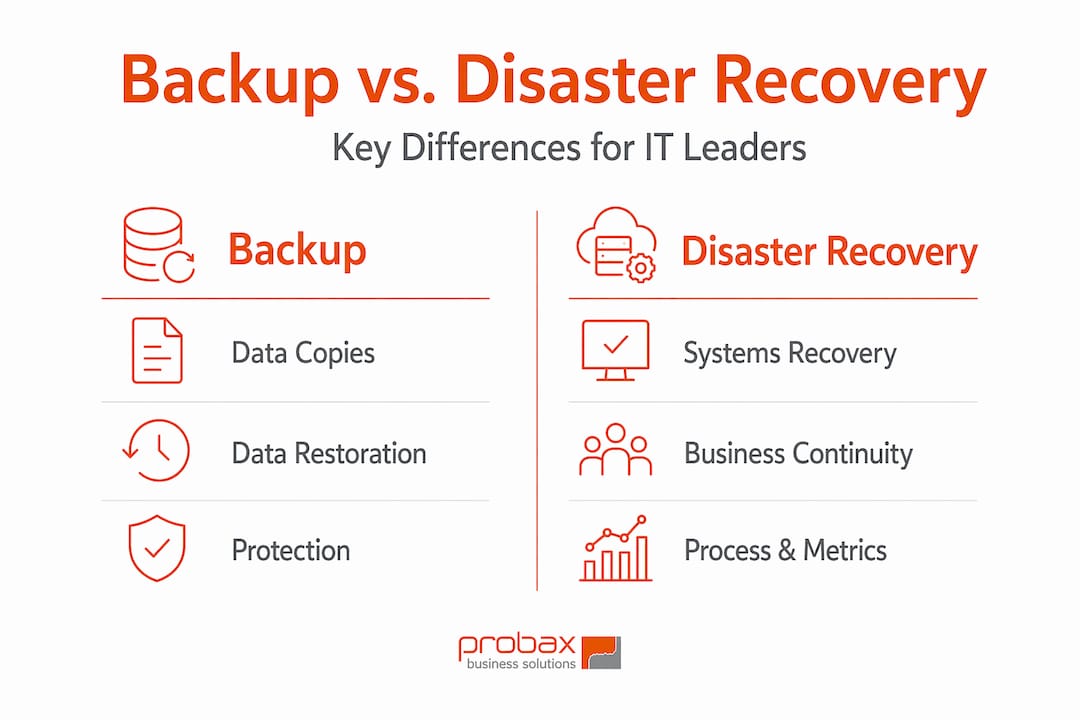
Business continuity planning is the broader framework. DR sits within it, focused on technology restoration. Backup sits within DR, focused on data availability. They are nested disciplines, not interchangeable ones.
The common pitfall is assuming that because backups run nightly, the organisation can recover quickly. But if nobody has tested the runbooks, validated the configuration snapshots, or confirmed that the restored environment actually functions, recovery will take far longer than the business can accept.
For a deeper breakdown, Techtron’s article on the difference between backup and DR is worth reading alongside this one.
Implementing backup and DR that actually works
Good strategy means nothing without execution. Here is what separates organisations that recover in hours from those that recover in weeks.
Cloud-based backup and DR now offer significant advantages for South African businesses operating hybrid or remote environments. Off-site resilience, faster recovery through automation, and built-in ransomware protection make cloud solutions a practical choice for firms that cannot afford dedicated secondary data centres.
Disaster Recovery as a Service (DRaaS) takes this further by outsourcing the entire DR infrastructure and orchestration to a managed provider. For organisations with limited internal IT capacity, this removes the burden of maintaining standby systems while still meeting RTO commitments.
Key practices that Techtron consistently recommends to clients:
- Prioritise systems by business criticality before setting RTO and RPO targets. Not every system needs the same protection level.
- Automate backup scheduling and verification. Manual processes fail under pressure.
- Test under realistic conditions, not just checkbox exercises. Simulate an actual outage and measure how long recovery takes.
- Maintain versioned infrastructure configuration snapshots outside the primary environment.
- Address vendor risk: understand the DR capabilities of every SaaS platform your business depends on.
Compliance requirements including NIST, ISO 27001, and ISO 22301 demand regular tested and verified backup and DR processes. For engineering and financial firms in South Africa, this is increasingly tied to client contracts and regulatory obligations, not just good practice.
Pro Tip: Build your automated backup solutions around criticality tiers. Tier one systems get immutable cloud backups every hour. Tier three systems get daily incrementals. Not everything needs the same frequency.
What most organisations get wrong
I have worked with South African businesses across engineering, finance, and professional services. The pattern I keep seeing is this: the backup runs fine, the DR plan exists on paper, but nobody has ever actually tested a full recovery under realistic conditions. When an incident hits, the team discovers that the runbook references a server that was decommissioned eight months ago.
Technical recovery is only part of the problem. The harder part is people and communication. Who is authorised to declare a disaster? Who calls the clients? Who coordinates with the cloud provider? These are not IT questions. They are business continuity questions, and most DR plans skip them entirely.
The other thing I have learned is that immutability is not a nice-to-have for South African businesses. Ransomware attacks targeting SMEs have increased sharply, and attackers now specifically hunt for and encrypt backup repositories. If your backups are not immutable and air-gapped, you may have no clean recovery point at all.
My honest advice: invest in the test before you need the plan. A quarterly tabletop exercise costs a few hours. A failed recovery in a real incident can cost the business far more than that.
— Steven
How Techtron helps South African businesses stay resilient
Techtron works with South African firms in engineering, finance, and professional services to build backup and DR programmes that hold up when it matters. Whether your team needs full ownership of the function or wants to share the load, Techtron’s co-managed IT services give you the flexibility to maintain internal control while gaining access to enterprise-grade tools and expertise. For organisations looking to hand off the complexity entirely, Techtron’s managed IT services cover backup monitoring, DR planning, compliance alignment, and incident response. Speak to Techtron about where your current gaps are.
FAQ
What is the difference between backup and disaster recovery?
Backup preserves copies of your data so it can be restored after loss or corruption. Disaster recovery is the broader process of restoring full IT operations, including systems, configurations, and workflows, after a disruptive event.
What is the 3-2-1-1-0 backup rule?
The 3-2-1-1-0 rule means keeping three copies of data on two media types, with one copy offsite, one immutable, and zero errors verified through automated testing. It is the current industry standard for ransomware-resilient backups.
How often should disaster recovery plans be tested?
Annual full-scope tests combined with quarterly critical system tests are recommended. Testing under realistic conditions, not just theoretical walkthroughs, confirms actual recovery capacity before an incident occurs.
Can backups alone protect my business from ransomware?
Not reliably. Ransomware frequently targets backup repositories. Immutable backups that cannot be altered or deleted, combined with an approval gate to validate clean recovery points before reintegration, are required for effective ransomware recovery.
What is RTO and RPO in disaster recovery?
Recovery Time Objective (RTO) is how long the business can tolerate being offline. Recovery Point Objective (RPO) is how much data loss is acceptable. Both should be defined per system, not as a single organisation-wide figure.