

Multi-Factor Authentication – Securing South African Firms
Protecting sensitive client data and confidential project details is a daily challenge for South African engineering and finance firms. Relying solely on passwords leaves your systems exposed to phishing and credential theft, but adding a second verification step creates a meaningful barrier. Multi-factor authentication strengthens access control by combining something the user knows with something they have or are, making unauthorised entry far more difficult. Discover which authentication methods and factor types best align your security goals with practical usability across your workforce.
Key Takeaways
| Point | Details |
|---|---|
| Importance of MFA | Multi-factor authentication significantly enhances security by requiring multiple forms of verification, reducing the risk of unauthorised access. |
| Factor Combinations | Effective MFA typically combines knowledge factors with possession factors for optimal security and usability. |
| Employee Resistance | User resistance can hinder MFA adoption; effective communication and procedures for accessibility are crucial. |
| Compliance Necessity | Implementing MFA helps meet South Africa’s regulatory requirements, especially in financial services, ensuring data protection and client confidence. |
Defining Multi-Factor Authentication Methods
Multi-factor authentication (MFA) is an electronic authentication method where a user must present two or more distinct types of evidence to gain access to website or application systems. Rather than relying on a single password, MFA adds an extra security layer by requiring identity verification through multiple factors. For engineering and financial firms in South Africa handling sensitive project data and client information, this approach significantly reduces the risk of unauthorised access, even when a password has been compromised.
The core strength of MFA lies in combining different types of evidence. Security experts typically categorise these into three main categories. First, something the user knows (such as a password or PIN). Second, something the user has (like a security token, hardware key, or mobile device). Third, something the user is (biometric data such as fingerprints, facial recognition, or iris scans). When you implement MFA correctly, an attacker cannot gain access with a stolen password alone, because they would still need to possess your physical device or provide your biometric data.
Consider how this works in practice at your firm. An employee logs into your financial management system with their standard password. Rather than immediately granting access, the system sends a verification code to their registered mobile phone via SMS or a dedicated authentication app. The employee enters this code to complete the login process. Even if someone has stolen that employee’s password through a phishing attack or data breach, they cannot access the system without also having that mobile device. This two factor verification creates a meaningful barrier against unauthorised entry.
Different authentication factors work better for different scenarios within your organisation:
- Knowledge factors (passwords, security questions, PINs) remain the most common but weakest on their own
- Possession factors (mobile phones, security tokens, smart cards) require the attacker to physically obtain a device
- Inherence factors (fingerprints, facial recognition, voice patterns) cannot be lost or forgotten
- Location factors (IP address verification, geolocation checks) add context awareness
- Behaviour factors (typing patterns, mouse movement) provide continuous verification
For mid-sized South African firms, the practical reality is that most MFA implementations combine knowledge factors with possession factors. Your team members use a password combined with a code from their mobile phone. This strikes a balance between security strength and usability, which is critical for adoption across your organisation. If your MFA system becomes too cumbersome, employees find workarounds or disable it entirely, defeating the purpose.
Here is a comparison of the main multi-factor authentication elements used in South African firms:
| Factor Type | Common Implementations | Strength in Business Use | Main Limitation |
|---|---|---|---|
| Knowledge Factors | Passwords, PINs, security Qs | Easy adoption, low cost | Vulnerable to phishing, sharing |
| Possession Factors | Mobile app codes, hardware keys | Physically secured, remote use | Access lost if device misplaced |
| Inherence Factors | Fingerprint, face, voice | Cannot be shared or forgotten | Requires devices, privacy concerns |
Professional tip Start with SMS or authenticator app based MFA for your most critical systems (email, financial software, cloud platforms), then expand to additional factors like biometrics as your team becomes comfortable with the technology.
Types of Factors Used in Authentication
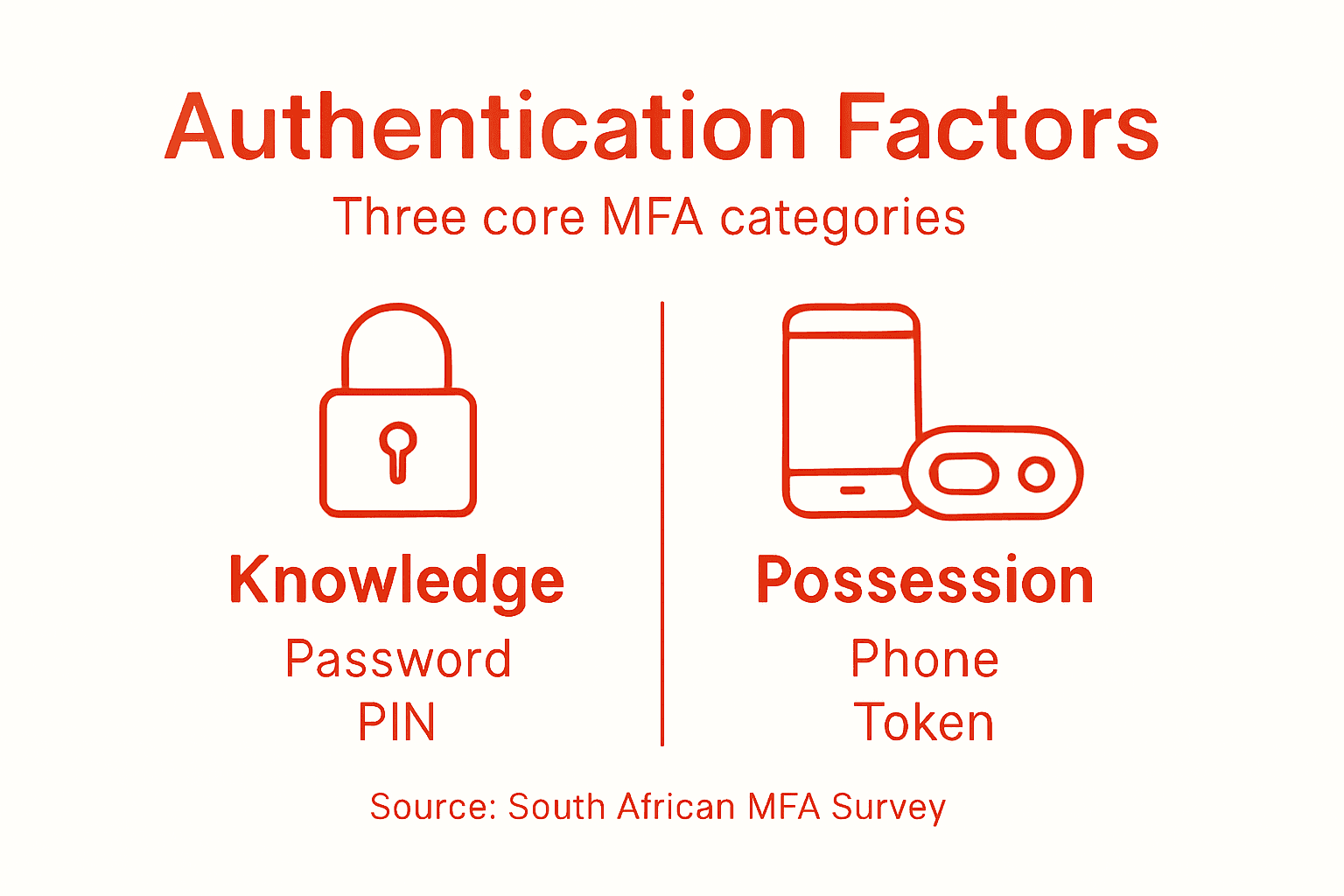
When you build a multi-factor authentication system, you are essentially stacking different types of verification to make unauthorised access exponentially harder. Authentication factors typically fall into three core categories: something you know, something you have, and something you are. Understanding how each category works helps you choose the right combination for your firm’s specific security needs. For engineering and financial organisations in South Africa, this choice directly impacts both security strength and employee productivity.
Something You Know
This category covers information only you should possess. Passwords remain the most common example, but also includes security questions, personal identification numbers (PINs), or security codes. The appeal is straightforward: they cost nothing to implement and require no additional hardware or devices. Your team members already understand how passwords work, which makes adoption easier.
However, knowledge factors have serious weaknesses. Employees share passwords, write them down, or reuse the same password across multiple systems. Phishing attacks successfully trick users into revealing their passwords. Data breaches expose thousands of credentials at once. For this reason, security experts recommend never relying on knowledge factors alone. At your firm, a password by itself is insufficient protection for systems containing sensitive financial data or proprietary engineering specifications.
Something You Have
Possession factors require the user to physically own or control a specific device or object. Common examples include mobile phones, hardware security tokens, smart cards, or USB keys. When an employee logs in, they must provide something from this device (like a time-based code from an authenticator app, or confirmation through a push notification) to complete authentication.

Possession factors work well because they create a genuine barrier. An attacker cannot access your systems remotely without physically possessing that device. If your team member’s password is compromised, the attacker still cannot log in because they do not have access to the second factor. Mobile phone based authentication has become popular for South African organisations because nearly every employee already carries a smartphone. Services like two-factor authentication via mobile devices provide strong protection without requiring expensive hardware tokens.
The trade off is that if an employee loses their device or forgets it at home, they cannot access critical systems. Your IT support team must have clear procedures for account recovery in these situations, or you risk operational disruption.
Something You Are
Biometric factors use unique physical or behavioural characteristics. Fingerprints, facial recognition, iris scans, voice patterns, and even typing speed fall into this category. Biometrics offer compelling advantages: they cannot be forgotten, cannot be shared, and cannot be stolen in the traditional sense. A fingerprint cannot be changed if it becomes compromised.
Biometric authentication is gaining traction in South African workplaces, particularly for high-security access points or sensitive data environments. Modern smartphones integrate fingerprint readers and facial recognition, making implementation increasingly practical. However, biometrics do have considerations. They require specialised hardware or software. They raise privacy concerns in some organisations. They may not work equally well for all employees due to medical conditions or accessibility needs.
The most effective MFA strategy for mid-sized engineering and financial firms typically combines two factors from different categories. A password (something you know) paired with a mobile authentication code (something you have) provides strong protection whilst remaining user-friendly. As your organisation matures in security practices, you can layer in biometric factors for systems handling your most sensitive information.
Professional tip Start by implementing mobile-based two-factor authentication across your finance systems and email platforms, then gradually add biometric verification for physical access and highest-risk digital systems as your team adapts to the MFA process.
How Multi-Factor Authentication Works in Practice
Multi-factor authentication operates through a straightforward sequence of steps that your employees will encounter every time they log in. The process begins when a user enters their username and password at the login screen. This first factor verifies that the person knows the correct credentials. However, the system does not immediately grant access. Instead, it triggers a second verification step. The stepwise authentication process protects against account breaches by ensuring that possession of the password alone is insufficient for access. At this point, the system sends a unique verification code to the user’s registered device. This code might arrive via SMS text message, through a dedicated authenticator app on their smartphone, or via email. The user must locate this code and enter it into the login screen within a specified time window, usually a few minutes. Only after both factors are successfully verified does the system grant access to the application or network.
The Step-by-Step Login Flow
Let’s walk through what actually happens in your financial management system. An engineer from your firm logs in with their credentials at 09:15 on a Tuesday morning. The system recognises the username and password are correct but does not open the door just yet. Instead, it sends a code like “847392” to the smartphone registered on that employee’s account. The engineer pulls out their phone, opens the authenticator app or reads the SMS, and types “847392” into the second prompt on their computer screen. The system verifies this code matches what it sent out. Access is granted. The entire process takes about 45 seconds. If that code is incorrect, or if no code is entered within five minutes, the login attempt fails and the user must start over.
For your IT team, understanding this flow matters because it clarifies how to troubleshoot issues. If an employee cannot log in, it might be because their second factor device is not receiving codes. This could indicate a network issue, a problem with their phone number on file, or a misconfigured authenticator app. By knowing the exact sequence, your support team can diagnose problems faster and guide users through recovery steps.
Real-World Scenarios at Your Firm
Consider what happens when security goes wrong. An employee at your engineering firm receives a phishing email appearing to come from your IT department, asking them to “verify their account credentials immediately.” They click the link and enter their username and password on a convincing but fake website. The attacker now has their credentials. However, the attacker cannot access the actual system. When they attempt to log in using the stolen password, the real system demands a second factor. The attacker does not have access to the employee’s phone or authenticator app, so they cannot provide the required verification code. The login fails. The account remains secure.
This scenario plays out frequently in South African organisations. Phishing attacks succeed at stealing passwords regularly, but MFA stops the attack in its tracks. Your team members become the actual security layer, not because they never make mistakes, but because a single mistake does not grant full access.
What Happens Behind the Scenes
Your authentication system maintains a careful coordination between multiple components. When you implement MFA through a managed IT service provider like Techtron, the system verifies that each factor matches what is recorded in your identity database. The first factor (password) is checked against hashed and encrypted password records. The second factor code is generated specifically for that login attempt, tied to that user’s registered device, and valid for only a short duration. This prevents attackers from using an old code or someone else’s code. After successful authentication, the system creates a secure session token that allows the user to remain logged in without needing to re-enter both factors repeatedly throughout their work day.
Professional tip Test your MFA setup by intentionally entering an incorrect second factor code to verify the system rejects it, then confirm your employees know what to do if they lose access to their registered device so they can contact your IT team immediately rather than trying to work around the system.
Benefits for South African Engineering and Finance Firms
The value of multi-factor authentication for your organisation goes far beyond just stopping hackers. For engineering firms in South Africa, MFA protects what makes your business valuable: proprietary designs, client specifications, project timelines, and intellectual property that took years to develop. A competitor gaining access to your CAD files or project proposals could undermine your competitive advantage. For financial services firms, the stakes are even more immediate. Your clients trust you with their money and personal financial information. A data breach does not just cost money in remediation and legal fees; it destroys client confidence and damages your reputation in a market where trust is your primary asset.
When you implement MFA, you fundamentally change the risk calculus for attackers. Credential theft and phishing attacks become significantly less effective because stealing a password alone no longer opens the door. Your employees can work remotely with greater security. An engineer at a client site logging into your systems from a coffee shop faces the same level of protection as someone in your office. This flexibility matters in modern South African business, where remote work and flexible arrangements are becoming standard. Your finance team can process transactions from anywhere, knowing that even if their laptop is stolen, the thief cannot access your accounting systems.
Sector-Specific Advantages
For financial services firms, MFA delivers clear regulatory benefits. South African regulators increasingly expect financial institutions to implement strong authentication controls. By adopting MFA now, you demonstrate proactive compliance with evolving regulatory requirements. This positions your firm ahead of potential future mandates and shows clients that you take security seriously. The cost of implementing MFA today is a fraction of the cost of responding to a regulatory investigation or breach penalty later.
Engineering firms gain particular advantages in client relationships. When you can demonstrate that your project data is protected by multi-factor authentication, clients perceive your firm as security-conscious and professional. This becomes a competitive advantage during tender processes. Larger clients increasingly require their vendors to meet specific security standards. MFA is now a baseline expectation for firms handling sensitive engineering data. Your ability to offer this protection opens doors to contracts you might otherwise lose.
Operational and Financial Benefits
Both sectors benefit from reduced operational friction caused by security breaches. A compromise of your email system or file server means hours spent investigating, notifying affected parties, resetting passwords, and auditing what was accessed. Your IT team spends days on incident response instead of improving systems. Your management team spends time managing the crisis. With MFA in place, even if a password is compromised, the attack fails at the second factor. You avoid the cascade of problems that follow a successful breach.
The financial mathematics favours MFA adoption. A mid-sized engineering firm might spend R15,000 to R25,000 on MFA implementation across 50 employees. A financial services firm implementing MFA for key systems might invest R20,000 to R40,000 depending on complexity. Compare this to the cost of a single data breach. Industry estimates suggest a data breach costs South African organisations between R2 million and R10 million in direct costs alone, excluding reputational damage. Even preventing a single successful attack pays for years of MFA implementation.
Below is a summary of financial impacts associated with MFA adoption versus data breach costs for typical South African mid-sized firms:
| Scenario | Upfront Costs (Range) | Potential Loss Per Breach | Long-Term Financial Benefit |
|---|---|---|---|
| MFA Implementation (engineering) | R15,000 – R25,000 | Avoids up to R10 million loss | Pays for itself after one breach |
| MFA Implementation (financial) | R20,000 – R40,000 | Prevents reputational damage | Preserves client confidence |
| No MFA, Successful Data Breach | None | R2 million – R10 million loss | High legal and operational costs |
When you implement MFA strategically, you create layers of security that accumulate. Strong passwords plus MFA make account takeover nearly impossible. Add this to your other security practices (regular backups, patch management, security awareness training) and you build genuine resilience. Your organisation becomes a harder target, and attackers move on to easier prey.
Professional tip Implement MFA first on your most critical systems (email, financial software, file servers), then expand to less sensitive applications as your team becomes comfortable with the process; this maximises security gains whilst minimising user frustration.
Common Implementation Challenges and Risks
Multi-factor authentication is not a simple flip-the-switch solution. Organisations across South Africa run into real obstacles when deploying MFA across their workforce, and pretending these challenges do not exist does your firm no favours. The most immediate resistance comes from your own employees. They view MFA as friction. An extra step in their login process means extra seconds wasted hundreds of times per year. That adds up in their minds. When your team has tight project deadlines or pressing financial deadlines, asking them to enter a second authentication code feels like unnecessary bureaucracy. This user resistance is not irrational. It is human nature. Your finance manager who has logged into the same system the same way for ten years suddenly faces a new process. They may resent it, work around it, or simply forget their second factor device at home.
User resistance and MFA fatigue emerge as significant implementation barriers when authentication requests become excessive or overly complex. Some employees lack access to smartphones required for authenticator apps, creating accessibility gaps. Legacy systems at your firm may resist integration with modern MFA solutions. An old engineering CAD system running on servers from 2008 may not support two-factor authentication at all. Retrofitting these systems requires technical work, testing, and potential downtime. Your IT team must decide whether to upgrade the entire system, find a workaround, or accept that this particular system remains outside your MFA protection.
The Real Risks Beyond Implementation
Even after you overcome implementation challenges, new risks emerge. SIM swapping represents a genuine threat in South Africa. An attacker calls your mobile network provider, convinces them they are you, and transfers your phone number to a SIM card the attacker controls. Suddenly, all SMS-based authentication codes go to the attacker instead of you. Your MFA system that relied on SMS becomes a liability instead of a protection. This is why security experts recommend moving away from SMS-based codes toward authenticator apps whenever possible. Apps like Google Authenticator or Microsoft Authenticator generate codes on the device itself, not through a carrier network.
Another risk involves MFA fatigue through excessive prompts. If your system requires authentication every two hours, your employees start treating security as background noise. They may click “approve” on phone notifications without thinking about what they are approving. They may share access temporarily to get work done faster. They may write down backup codes instead of storing them securely. Each of these workarounds undermines your security strategy. You have deployed MFA to make your firm more secure, but poor implementation design makes people less secure through frustration.
Phishing attacks targeting MFA tokens introduce another layer of risk. An attacker sends a convincing phishing email appearing to come from your company, asking for your authentication code. Your employee, worried about account security, provides it. The attacker now has both the password and the current authentication code, allowing access before the time-limited code expires. This type of attack requires training and vigilance. Your employees must understand that legitimate requests for MFA codes should never come through email or phone calls.
Balancing Security with Usability
The central challenge in MFA implementation is balancing security requirements with real-world usability. Make authentication too strict and people find workarounds. Make it too lenient and you lose the security benefits. A financial services firm might require MFA every login attempt for maximum security, but this creates exhaustion. An engineering firm might allow users to remain logged in for eight hours after initial authentication, accepting slightly lower security for better productivity.
Your firm must also plan for account recovery. What happens when an employee loses their phone? They cannot generate authentication codes. They cannot log in. Your IT support team needs clear, documented procedures for verifying identity and resetting second factors. Without these procedures, frustrated employees create security problems trying to regain access.
Professional tip Pilot your MFA implementation with a small group of power users who understand technology and provide you with feedback before rolling out broadly; use their insights to adjust settings and procedures, then train other employees using real examples from the pilot group.
Compliance, Privacy, and Regulatory Considerations
Multi-factor authentication is not just a security convenience for your firm. It is increasingly a legal requirement. South Africa’s regulatory environment has shifted decisively toward demanding strong authentication controls, and your organisation must align your MFA implementation with these expectations. The Protection of Personal Information Act (POPIA) sets the framework for how organisations must handle personal data. When your employees log in using MFA, the system collects and processes data about their identity, their device, and sometimes their location. This data is personal information under POPIA. How you collect, store, and use this authentication data must comply with POPIA’s principles. You cannot simply implement MFA and ignore privacy obligations. You must be transparent about what data you collect through MFA, why you collect it, and how long you retain it.
For financial services firms, the regulatory pressure is even more intense. The Financial Intelligence Centre and the banking regulators expect financial institutions to implement robust authentication mechanisms. MFA implementation must comply with data privacy regulations whilst protecting customer data and transaction integrity. This dual requirement sounds straightforward but creates practical tensions. Strong MFA requires collecting more data about users (phone numbers, device identifiers, biometric data in some cases). Protecting that data requires secure storage, limited access, and careful retention policies. Your firm needs to balance security requirements with privacy principles. Implementing MFA without a clear data protection strategy puts you at compliance risk.
Data Protection and User Consent
When you implement MFA, you need explicit user consent for collecting and processing authentication data. Your employees must understand what you are collecting, why you are collecting it, and how you are protecting it. A simple one-sentence notice buried in your IT policy is insufficient. You need clear, accessible communication about MFA data handling. For financial firms especially, this transparency builds customer trust. If you are implementing MFA for client-facing systems, your customers need to understand how their authentication data is protected. This is not just a legal requirement. It is a trust issue. Customers who understand your security measures are more confident in your systems.
Your data retention policies matter significantly. How long do you keep MFA authentication logs? Most firms retain these logs for audit and investigation purposes, but indefinite retention creates unnecessary privacy risk. A reasonable approach involves keeping detailed authentication logs for 90 days, then archiving aggregate data for compliance purposes. Your IT team should define clear retention schedules and enforce them. This protects both your organisation and your employees. When data breaches happen, organisations with clear retention policies minimise the impact by ensuring old data has been deleted.
Engineering and Financial Sector Requirements
Engineering firms often overlook compliance implications of MFA because they focus on security. However, if your firm handles any personal information (employee data, subcontractor information, client contact details), POPIA applies. MFA authentication logs contain personal information about your employees. Biometric data used for MFA is particularly sensitive under POPIA. If you implement fingerprint-based authentication, you are collecting biometric data that receives special protection. Your policy must explain why you need this data, how you secure it, and when you delete it.
Financial firms face additional requirements from banking regulators. These regulators increasingly specify that financial institutions must implement MFA for sensitive transactions. But they also expect that this authentication does not create unnecessary barriers to legitimate customers. Your MFA system must be secure without being impractical. A customer should not need to spend twenty minutes authenticating before completing a simple transaction. Finding this balance requires thoughtful system design and ongoing review.
Practical Compliance Checklist
Your MFA implementation should address these compliance considerations:
- Document why you implemented MFA and what data you collect
- Create a privacy notice explaining MFA data handling to users
- Define clear data retention periods for authentication logs
- Ensure your MFA system complies with IT compliance requirements for businesses
- Establish who has access to authentication logs and under what circumstances
- Create incident response procedures for MFA-related security events
- Review your MFA system annually for compliance alignment
- Train your IT team on privacy obligations related to authentication data
Professional tip Work with your legal or compliance team to document your MFA data handling practices in writing, then include this documentation in your annual compliance review to ensure your implementation continues to meet regulatory requirements as South African privacy laws evolve.
Strengthen Your Firm’s Security with Expert Multi-Factor Authentication Solutions
Multi-factor authentication is essential for South African engineering and financial firms looking to protect sensitive data from unauthorised access. The challenge many organisations face is balancing robust security with employee usability while maintaining compliance with regulations such as POPIA. At Techtron, we understand the critical need to implement MFA that effectively combines knowledge and possession factors, reduces phishing risks, and addresses challenges like SIM swapping and user resistance.
Our comprehensive IT management services include deploying customised multi-factor authentication tailored to your specific business environment. With our proactive cybersecurity, network security, and cloud solutions, we help you safeguard your digital assets and ensure operational continuity. Secure your email platforms, financial software, and critical applications with ease and confidence through professional support from Techtron.
Take the first step to protect your firm today by exploring how our managed IT services can simplify MFA implementation and strengthen your cybersecurity posture. Visit Techtron to learn more about our cybersecurity and cloud solutions designed for South African professional service firms. Don’t wait until a breach happens contact us now to build resilience and maintain client trust with expert multi-factor authentication support.
Frequently Asked Questions
What is Multi-Factor Authentication (MFA)?
Multi-Factor Authentication (MFA) is a security method that requires users to provide two or more distinct forms of verification to access systems, providing an extra layer of security beyond just a password.
Why is MFA important for firms handling sensitive data?
MFA significantly reduces the risk of unauthorized access to sensitive project data and client information, protecting against various threats like phishing attacks and compromised passwords.
What are the different types of authentication factors used in MFA?
MFA typically combines three core types of authentication factors: something you know (like a password), something you have (like a mobile device), and something you are (like biometric data).
How does MFA enhance remote work security?
MFA allows employees to securely access systems from any location, protecting sensitive information by requiring not just a password but also a verification method that an attacker cannot easily obtain.